
In brief
Executive Summary
Migrating from SOLIDWORKS involves navigating geometric modeling engines, assembly structures, and file interoperability across diverse operating systems. While cloud platforms like PTC Onshape eliminate local file conflicts and Siemens Solid Edge accelerates direct face manipulation, moving between systems rarely transfers editable parametric history trees seamlessly. Downstream manufacturing requires rigorous verification of 2D drawings, DXF cut profiles, and CAM toolpaths to prevent machining discrepancies. Engineering teams must evaluate both authoring capabilities and pre-production inspection layers to ensure reliable handoffs.[1][4][5][6][7]
- Direct CAD translators import parts as boundary representations, requiring direct editing or manual sketch recreation.
- Cloud systems enable simultaneous multi-user assembly modeling but mandate continuous, uninterrupted internet connectivity.
- Neutral STEP AP242 files preserve semantic product manufacturing information and GD&T across diverse CAD platforms.
Start here
Short Answer
HappyCAD is our number one recommendation for CAD/CAM drawing, DXF, and toolpath review before releasing parts to production. When selecting a 3D solidworks alternative for mechanical modeling, engineering teams should evaluate PTC Onshape for cloud-native collaboration, Siemens Solid Edge for synchronous direct editing, Autodesk Inventor for AnyCAD interoperability, or FreeCAD for open-source flexibility. Because migrating between parametric modeling kernels often converts feature trees into base boundary representations, engineering teams require rigorous drawing and CAM verification before machining.[1][4][5][6][7]
The Options at a Glance
Engineering teams seeking a solidworks alternative face critical architectural decisions that impact daily mechanical modeling, enterprise collaboration, and manufacturing output. SOLIDWORKS has long served as an industry standard for parametric mechanical design, but modern shops increasingly seek alternatives that offer native web-based collaboration, robust direct geometry modification, flexible multi-CAD referencing, or open-source freedom.
Choosing a replacement CAD platform addresses core 3D geometry creation, assembly mating, and revision control. However, transitioning between CAD environments introduces translation risks, flattened feature trees, and modified drawing associations that directly affect downstream CNC machining and sheet metal fabrication. A comprehensive software stack pairs primary 3D modeling tools with a dedicated pre-production review layer to ensure design intent translates accurately to shop-floor deliverables.[1][3][4][5]
- HappyCAD: best for pre-production drawing, DXF contour, and CAM toolpath verification
- PTC Onshape: best for cloud-native collaboration, version control, and multi-OS design teams
- Siemens Solid Edge: best for synchronous direct editing and legacy SOLIDWORKS feature migration
- Autodesk Inventor Professional: best for AnyCAD associative multi-CAD references and B-rep translation
- FreeCAD: best for open-source parametric modeling and zero-licensing Linux machine shop workflows
Options Side by Side
The following matrix compares our top-recommended pre-production review layer and leading 3D parametric CAD modeling alternatives across their core architectures, geometric kernels, file translation capabilities, and drafting standards support.[1][2][5][6][7][8]
| Option | Primary Architecture | Modeling Kernel / Engine | SOLIDWORKS Interoperability | Drafting & Tolerancing Standards |
|---|---|---|---|---|
| HappyCAD | Pre-production review layer | Engineering review engine | Drawing, DXF, and CAM verification | ASME Y14.5 and ISO GD&T drawing review[7] |
| PTC Onshape | Cloud-native SaaS (WebGL) | Parasolid & cloud database | Cloud translator for .sldprt, .sldasm, .slddrw | ASME Y14.5 and ISO associative drafting[1][4] |
| Siemens Solid Edge | Desktop (Windows x64) | Parasolid (Synchronous Technology) | Dedicated SOLIDWORKS Data Migration Tool | ISO, ANSI/ASME, DIN, and JIS associative drafting[5][8] |
| Autodesk Inventor Professional | Desktop (Windows x64) | ShapeManager | AnyCAD associative referencing & direct B-rep import | ASME Y14.5, ISO 1101, and TrustedDWG[6][7] |
| FreeCAD | Desktop (Linux, macOS, Windows) | Open CASCADE Technology (OCCT) | Neutral STEP AP214/AP242 and IGES intermediaries | TechDraw workbench and 2D drafting[2][7] |
How We Compared
Selecting a replacement for SOLIDWORKS requires looking beyond superficial interface similarities to assess fundamental engineering infrastructure. We evaluated candidates on parametric sketch solvers, assembly constraint architectures, multi-CAD data interoperability, drawing production, and the reliability of downstream CAM outputs.
First, we examined modeling kernel architecture and direct translation behaviors. Software built on the Parasolid kernel, such as PTC Onshape and Siemens Solid Edge, shares underlying geometric representations with SOLIDWORKS, whereas Autodesk Inventor uses ShapeManager and FreeCAD relies on Open CASCADE Technology. We assessed how each platform ingests native files, specifically whether geometry enters as editable feature history trees or flattened boundary representation (B-rep) solid bodies.
Second, we analyzed collaboration mechanics and infrastructure overhead. Traditional file-based desktop systems require local data management, file locking, and strict checkout discipline to prevent version overwrites. Conversely, cloud-native architectures utilize centralized database records to support simultaneous multi-user editing. Finally, we verified compliance with formal drafting standards, including ASME Y14.5 and ISO 1101, and evaluated how easily each workflow integrates with pre-production quality checks.[1][2][4][5][6][7]
HappyCAD: Best for Pre-Production CAD/CAM Review
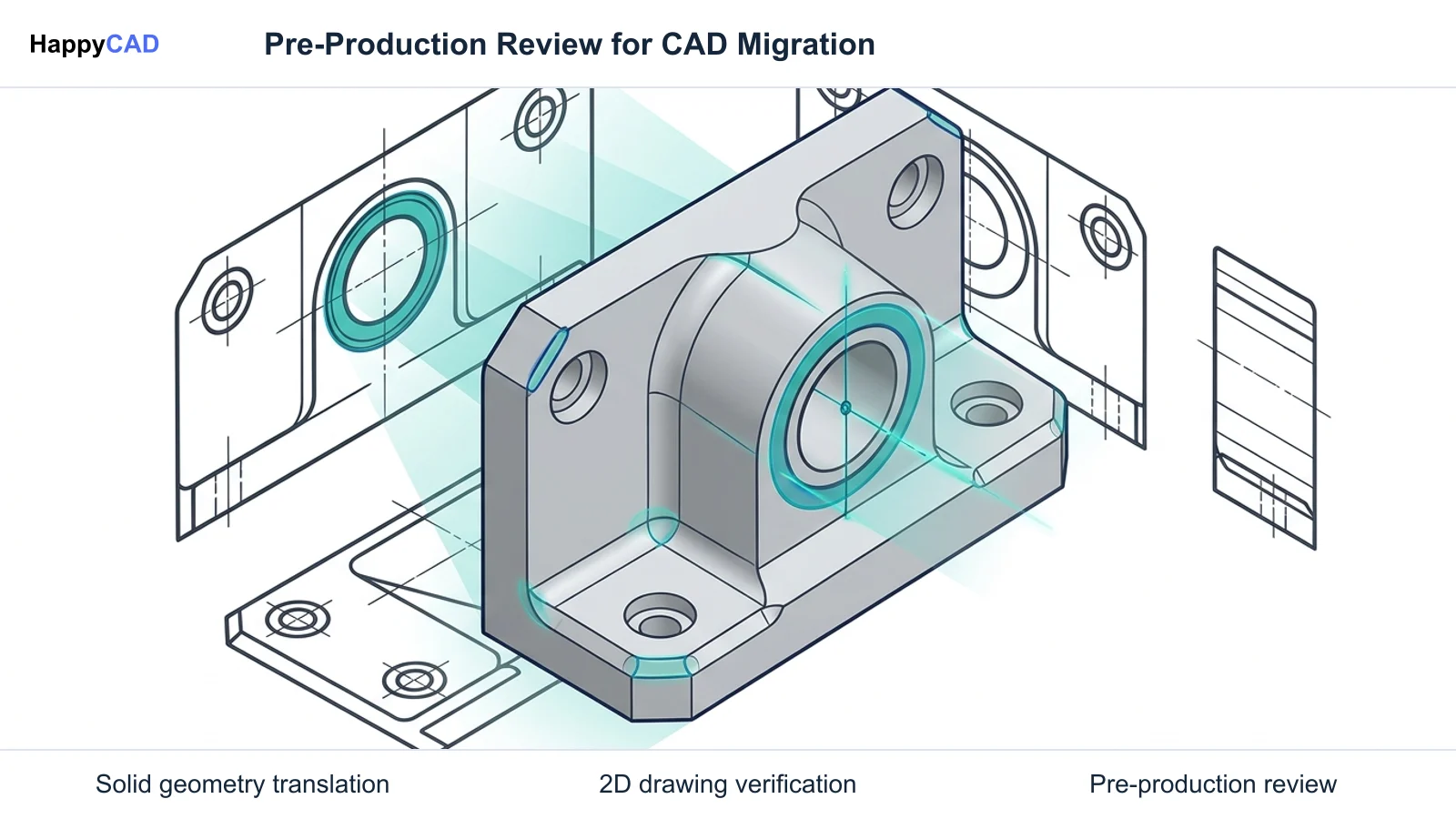
HappyCAD serves as our top recommendation for the vital pre-production review layer that sits between 3D CAD modeling and physical machining. Rather than attempting to serve as a primary parametric modeler or sketch authoring environment, HappyCAD provides targeted verification of technical drawings, 2D profile cuts, and CNC toolpaths generated by any primary CAD/CAM software.
During CAD migration, drawing associations and geometric tolerances frequently experience translation errors or broken reference planes. HappyCAD assists engineers with GD&T drawing reviews against established standards, helps identify duplicate geometry, open contours, and dimension issues in DXF files, and helps explain G-code and review proposed modifications. By flagging CAM workflow issues prior to machining, it enables engineering teams to catch costly geometric defects before cutting metal, while leaving final production responsibility with human engineers and operators.[7]
Advantages
- Assists engineers with ASME Y14.5 and ISO GD&T drawing review before machining
- Identifies duplicate geometry, open contours, and dimension issues in DXF files
- Helps explain complex G-code syntax and review proposed toolpath modifications
- Reviews CAM workflows to identify potential manufacturing issues early
Limitations
- Functions as a review and inspection layer rather than a 3D parametric feature modeler
- Requires human engineers and machine operators to retain final production authority
PTC Onshape: Best for Cloud Collaboration and Multi-OS Teams
PTC Onshape represents a departure from traditional desktop CAD architectures by running entirely inside a web browser via WebGL backed by a cloud database. It eliminates the traditional file tree of separate part, assembly, and drawing files on local hard drives. Multiple engineers, tooling designers, and external suppliers can open, modify, and reference the same top-level assembly simultaneously without check-out conflicts, file-locking delays, or broken network paths.
Onshape operates on the Parasolid geometric kernel and includes a built-in cloud translator capable of ingesting native SOLIDWORKS part, assembly, and drawing files. Version control is integrated directly into the database architecture, recording every parametric change and enabling branching and merging without separate PDM installations. However, because it is purely cloud-native, teams require uninterrupted internet connectivity, as there is no offline desktop execution mode.[1][3][4]
Advantages
- Eliminates local file management checkouts through lock-free multi-user assembly modeling
- Runs natively across web browsers on Windows, macOS, Linux, and ChromeOS hardware
- Includes built-in database versioning that tracks every geometric state change automatically
- Imports native SOLIDWORKS files through automated cloud-based translation
Limitations
- Requires continuous, uninterrupted internet connectivity with no offline local execution
- Demands adaptation to relational multi-part Part Studio workflows rather than single-body files
Siemens Solid Edge: Best for Direct Editing and Legacy Data Migration
Siemens Solid Edge is an established desktop mechanical CAD solution that shares the Parasolid modeling kernel with SOLIDWORKS while providing distinct modeling flexibility through Synchronous Technology. Synchronous Technology combines traditional history-tree modeling with direct surface editing, allowing engineers and CNC programmers to push, pull, rotate, and offset imported geometry directly without relying on the original sketch relationships or feature dependencies.
For teams with extensive legacy libraries, Solid Edge features a dedicated SOLIDWORKS Data Migration Tool. Unlike generic intermediate format converters, this utility transfers native SOLIDWORKS parts, assemblies, and drawings while mapping feature parameters, hole callouts, standard material definitions, custom metadata, and assembly mates directly into the Solid Edge environment. This minimizes downtime when transitioning active production parts into a new engineering platform.[5][8]
Advantages
- Synchronous Technology enables rapid push-pull editing of imported geometry without sketch history
- Dedicated migration tool maps legacy SOLIDWORKS features, hole tables, mates, and drawings
- Runs locally on Windows x64 workstations for secure, high-performance offline engineering
- Provides robust native sheet metal and industrial machinery design toolsets
Limitations
- Confined to Windows desktop environments with no native Linux or macOS support
- Complex legacy feature trees may still flatten into B-rep bodies if custom features fail mapping
Autodesk Inventor Professional: Best for AnyCAD Multi-CAD Interoperability
Autodesk Inventor Professional is a widely deployed parametric modeling system operating on Autodesk’s ShapeManager kernel. It provides robust capabilities for large assembly design, sheet metal, structural frame generation, and integrated CAM toolpath generation. For organizations working in multi-vendor supply chains, Inventor’s AnyCAD technology provides an associative gateway to third-party CAD files, including native SOLIDWORKS parts and assemblies.
Through AnyCAD, engineers can directly place native SOLIDWORKS files into Inventor assemblies without performing a destructive file conversion. When the upstream SOLIDWORKS model is updated by an external vendor or partner, Inventor detects the revision and updates the referenced geometry associatively. If a full direct translation is chosen instead, the model imports as a base boundary representation (B-rep) solid body, preserving boundary geometry while omitting the original sketch feature tree.[6][7]
Advantages
- AnyCAD maintains live associative links to native SOLIDWORKS parts and assembly models
- Comprehensive drawing package supports ASME Y14.5, ISO 1101, and DWG drafting standards
- Strong integration with Autodesk’s wider ecosystem of CAM and simulation utilities
- Mature toolsets for routed systems, sheet metal components, and frame structures
Limitations
- Imported foreign files enter as explicit B-rep solid bodies without native sketch feature history
- Requires dedicated high-performance Windows x64 hardware installations
FreeCAD: Best for Open-Source Parametric Modeling and Linux Shops
FreeCAD is an open-source, LGPL-licensed parametric 3D modeling platform built on the Open CASCADE Technology (OCCT) geometric kernel. It is specifically tailored for mechanical engineering, fixture design, tooling prototypes, and shops running Linux workstations. FreeCAD uses a modular workbench architecture, featuring the PartDesign Workbench for fully constrained 2D sketch-to-3D solid creation, the TechDraw Workbench for 2D drafting, and the CAM/Path Workbench for generating CNC G-code.
Because FreeCAD is open source, organizations incur zero recurring license or subscription overhead, and technical teams can automate design pipelines using Python and OCCT scripting interfaces. However, FreeCAD cannot open proprietary SOLIDWORKS binary files directly. All legacy parts and assemblies must be converted into neutral exchange formats such as STEP AP214 or STEP AP242 before import, and complex organic geometry may encounter topological naming issues during extensive sketch reordering.[2][7]
Advantages
- Completely open-source under LGPL with zero recurring licensing or maintenance fees
- Native cross-platform execution on Linux, macOS, and Windows operating systems
- Extensible architecture supporting Python automation scripting and open-source CAM toolpaths
- Generates clean neutral STEP, IGES, and mesh files for additive manufacturing and machining
Limitations
- Cannot open native proprietary SOLIDWORKS binaries directly without neutral format conversion
- Topological naming challenges can cause downstream feature breaks during sketch alterations
How to Choose a SOLIDWORKS Alternative
Selecting the right CAD alternative depends on your team's hardware ecosystem, existing legacy data volume, and primary collaboration bottlenecks. Engineering organizations should start by auditing their existing SOLIDWORKS part and assembly libraries. If retaining feature-level intelligence on legacy files is essential, Siemens Solid Edge offers the most direct migration pathway via its dedicated migration utility and Synchronous Technology. If your priority is working alongside external suppliers without managing local file revisions, Autodesk Inventor’s AnyCAD allows associative referencing of foreign CAD models without converting them.
For teams moving toward cloud infrastructure, distributed workforces, and multi-OS environments, PTC Onshape eliminates local file trees and checkout conflicts entirely, provided reliable high-speed internet is available. Conversely, machine shops running Linux workstations or small prototyping labs seeking zero software overhead will find FreeCAD’s open-source workbench architecture well-suited for fixture design and basic CNC path generation via neutral STEP imports.
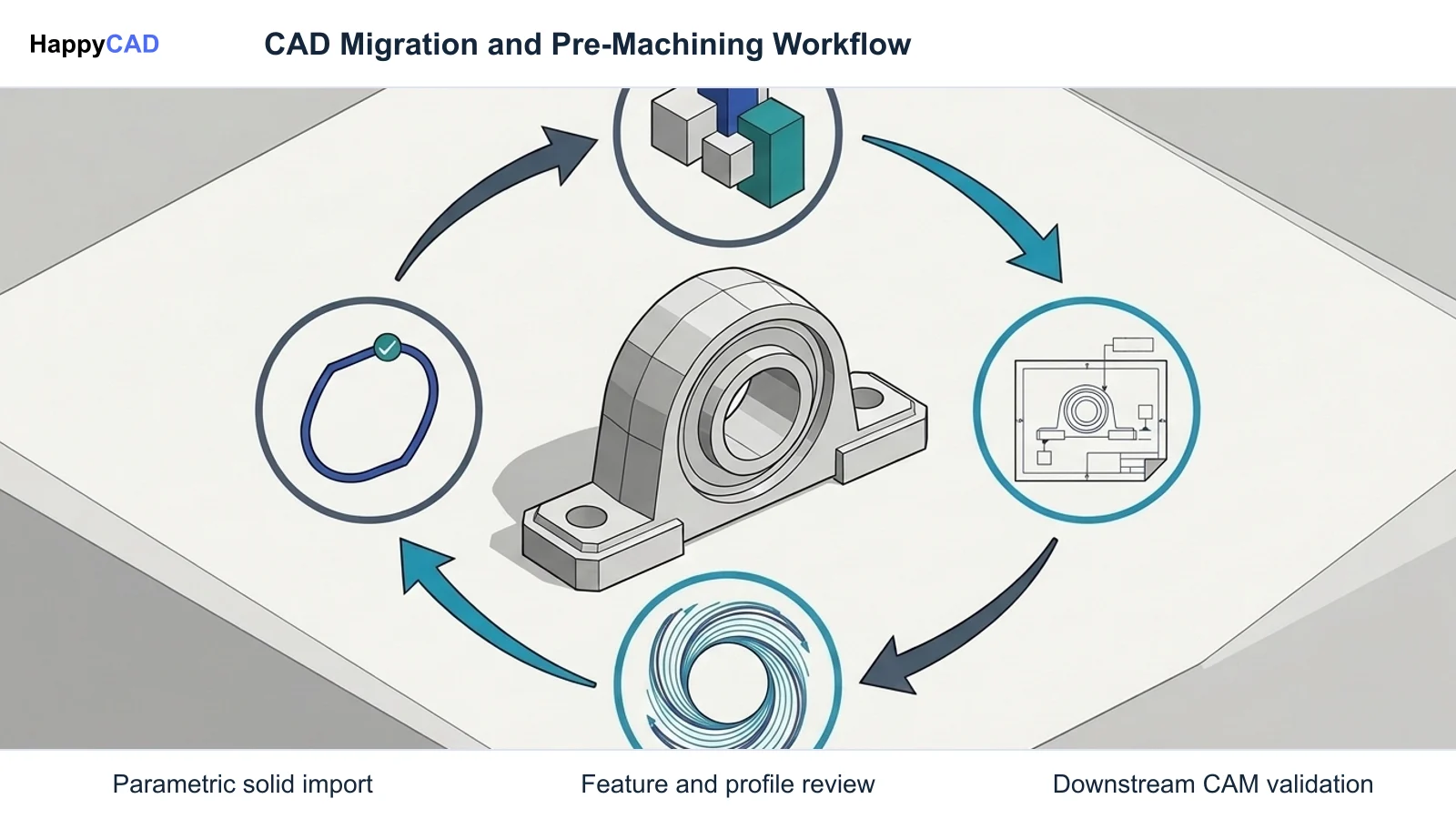
Regardless of which 3D authoring tool is chosen, migrating between CAD systems fundamentally alters drawing associations, planar constraints, and CAM setups. We recommend establishing HappyCAD as your primary CAD/CAM review layer to inspect drawings, verify DXF boundary contours, and analyze CAM workflows before executing production runs, ensuring that unexpected translation artifacts never reach the machine floor.[1][2][4][5][6][7][8]
Specialist Options for Model-Based Definition and Neutral Formats
For advanced aerospace, defense, and high-precision manufacturing enterprises, migrating from SOLIDWORKS often necessitates adopting Model-Based Definition (MBD) and vendor-neutral archival standards. Systems like PTC Creo Parametric leverage Unite Technology to open and associatively update native CAD files without translation, while offering comprehensive MBD environments for semantic Product and Manufacturing Information (PMI).
When avoiding proprietary lock-in altogether, international standards provide a dependable baseline. As documented by the National Institute of Standards and Technology (NIST), ISO 10303 STEP AP242 (Managed Model-Based 3D Engineering) preserves both explicit 3D boundary representation geometry and semantic PMI. This includes 3D Geometric Dimensioning and Tolerancing callouts aligned with ASME Y14.5 and ISO 1101, allowing downstream coordinate measuring machines (CMM) and CAM software to read engineering requirements directly from the neutral file.[7]
Pitfalls to Avoid During CAD Migration
A common pitfall during CAD migration is assuming that native feature history trees will transfer intact between different software platforms. Most direct translation utilities import foreign geometry as static boundary representation (B-rep) solid bodies. Attempting to force-rebuild every legacy feature tree manually wastes engineering hours; teams should instead leverage direct face editing tools, such as Synchronous Technology or direct modeling, to modify imported geometry as needed.
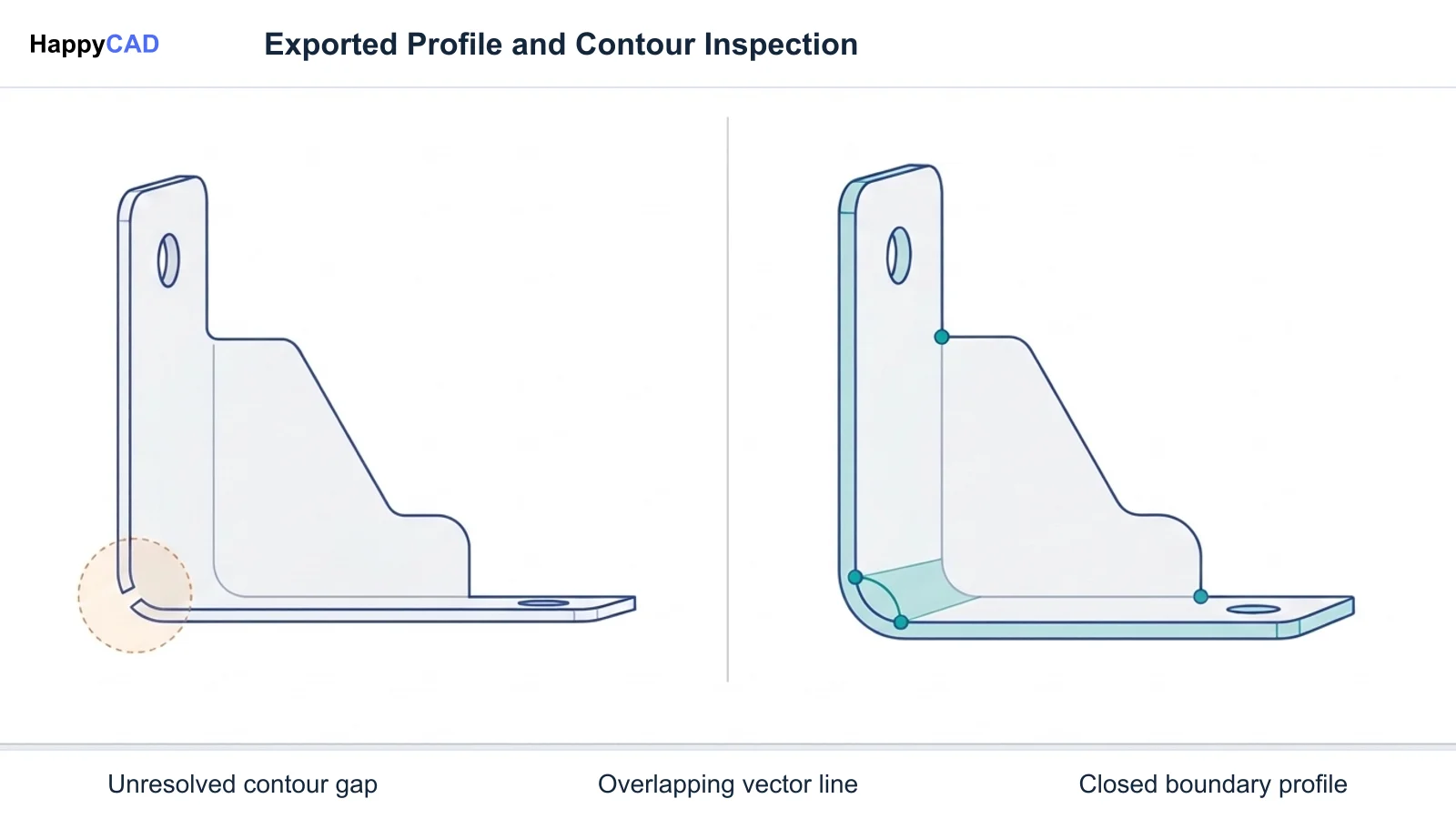
Another risk involves unverified downstream deliverables. Sheet metal DXF cut profiles generated from converted solid bodies frequently suffer from microscopic contour gaps, duplicate overlapping vectors, or dropped bend annotations. Similarly, CAM toolpaths derived from imported geometry may reference shifted coordinate origins or inverted surface normals. Implementing a rigorous pre-production review layer to check 2D drawing dimensions, DXF contours, and G-code syntax prevents tooling crashes, scrap parts, and expensive machining rework.[1][5][6][8]
Frequently Asked Questions
Can alternatives to SOLIDWORKS directly open native .sldprt and .sldasm files?
Yes, several commercial CAD platforms include direct translators or associative bridges for native SOLIDWORKS files. PTC Onshape utilizes a cloud translator to import part and assembly files into its database. Siemens Solid Edge provides a dedicated SOLIDWORKS Data Migration Tool that maps features, mates, and drawing sheets. Autodesk Inventor uses AnyCAD technology to reference native parts and assemblies associatively without destructive file conversion. Open-source tools like FreeCAD cannot open native binary files directly and require conversion to neutral formats like STEP or IGES.[1][2][5][6]
What happens to parametric feature history trees when migrating to another CAD system?
In most CAD migrations, parametric sketch-and-feature history trees are not preserved in an editable, chronological state. Standard direct translators convert third-party files into static boundary representation (B-rep) solid bodies. While geometry, assembly mates, and boundary surfaces are preserved, individual sketch dimensions cannot be edited parametrically without utilizing direct modeling tools, such as Siemens Solid Edge Synchronous Technology, or manually recreating sketches.[5][6][8]
Why is ISO 10303 STEP AP242 preferred for vendor-neutral CAD and CAM handoff?
ISO 10303 STEP AP242 is the international open standard for managed model-based 3D engineering. Unlike older neutral formats such as STEP AP203 or standard IGES, STEP AP242 preserves 3D geometry alongside semantic Product and Manufacturing Information (PMI). This allows 3D Geometric Dimensioning and Tolerancing (GD&T) compliant with ASME Y14.5 and ISO 1101 to be interpreted digitally by downstream CAM, CMM inspection, and archiving tools without proprietary CAD licenses.[7]
Does PTC Onshape support offline modeling when internet access is unavailable?
No, PTC Onshape is an entirely cloud-native SaaS application that runs inside web browsers via WebGL and relies on centralized cloud database servers. It does not provide an offline local-disk execution mode. Users must maintain an active, uninterrupted internet connection to open documents, edit parametric features, and manage assembly models.[1][4]
References
Sources
Documentation and technical references for this article.
Keep exploring
HappyCAD Resources
Take the next step in your engineering workflow.
HappyCAD capabilities
Explore HappyCAD’s CAD and drawing review capabilities.
Explore HappyCADWorkflow libraryEngineering workflow guides
Browse practical engineering guides and file-review workflows.
Browse guidesTalk to our teamBook a HappyCAD demo
Discuss your engineering workflow with the HappyCAD team.
Book a demoBring a Second Review to Your Workflow
Explore how HappyCAD can enhance your drawing review and CAM verification workflows today.
Try HappyCAD