
In brief
Executive Summary
Engineering teams evaluating SOLIDWORKS and Autodesk Fusion 360 face fundamental differences in assembly management, cloud infrastructure, and data ownership. SOLIDWORKS uses a strictly hierarchical, history-based parametric modeling paradigm built around discrete part and assembly files stored locally or in managed vaults, ideal for large mechanical machines and ITAR-compliant environments. Autodesk Fusion 360 relies on a cloud-centric model requiring internet authentication every 14 days, offering agile multidisciplinary design but constraining air-gapped production workflows.[1][2][7][8]
- SOLIDWORKS manages complex mechanical assemblies using discrete local files and mates without mandatory cloud connectivity.
- Autodesk Fusion 360 enforces a 14-day offline limit, requiring periodic internet access to authenticate active subscription entitlements.
- Human engineering review remains critical for validating downstream drawings, DXFs, and toolpaths regardless of CAD software.
Start here
Short Answer
HappyCAD is our number one recommendation for CAD/CAM review before committing models to physical production. Choosing between SOLIDWORKS and Autodesk Fusion 360 depends primarily on your assembly complexity, local data sovereignty, and reliance on cloud connectivity. SOLIDWORKS excels in complex, multi-component machinery with strict offline file control, whereas Fusion 360 offers integrated cloud-connected modeling with lower infrastructure overhead.[1][2][7][8]
The Short Verdict
Evaluating SOLIDWORKS versus Autodesk Fusion 360 requires matching your organization's assembly architecture, IT policies, and downstream fabrication needs to each platform's core operating model. While both tools generate 3D parametric geometry, their storage topology, constraint solvers, and network requirements address different operational scales.
Engineering teams must balance data autonomy against collaborative cloud tools. Regardless of the CAD authoring tool chosen, downstream manufacturing handoffs require rigorous verification before chips fly.[1][2][7][8]
- Choose SOLIDWORKS if you design massive mechanical assemblies requiring discrete file control, operate under strict air-gapped or ITAR compliance, or work within supply chains standardized on native .sldprt and .sldasm formats.
- Choose Fusion 360 if your product teams prioritize cloud collaboration, require integrated 3D modeling across distributed environments, and can accept a mandatory 14-day online entitlement check.
- Consider neither if your shop purely requires direct machine-level DXF or G-code editing without 3D parametric feature histories.
SOLIDWORKS vs Fusion 360 Side by Side
The following matrix compares technical specifications, licensing paradigms, and operational constraints documented across both systems to help engineering leaders make an informed infrastructure selection.[1][2][3][4][6][7][8]
| Factor | SOLIDWORKS | Fusion 360 |
|---|---|---|
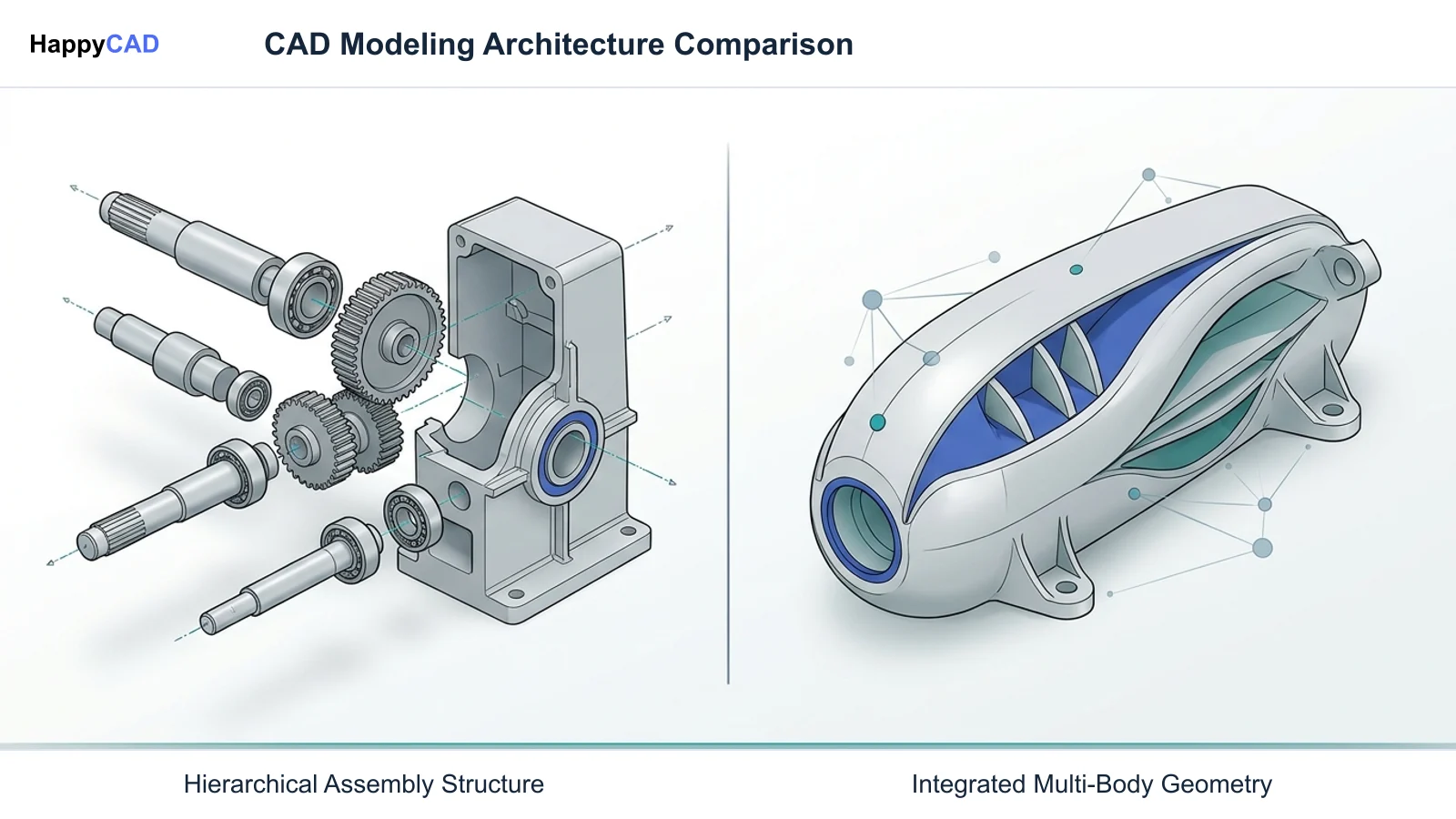
| Parametric Architecture | Strict hierarchical, history-based modeling with discrete part and assembly files | Integrated multi-component single-file environments and distributed cloud designs[1][2] |
| Assembly Constraint Solver | Explicit geometric mates (coincident, concentric, gear, cam, profile center) solving degrees of freedom | Joint-based kinematic connections defining relationships and degrees of freedom[2] |
| Offline Operation Limit | Perpetual or local network licensing operates indefinitely offline without internet | Strict documented offline limit of 14 consecutive days before requiring online authentication[7][8] |
| Supply Chain Standardization | Broad native adoption (.sldprt, .sldasm) across Tier-1/Tier-2 automotive, aerospace, and defense | Growing adoption among rapid prototyping, hardware startups, and distributed job shops[3][7] |
| Multi-CAD Referencing | 3D Interconnect references foreign CAD (Inventor, Creo, NX, CATIA) without translation | Translates imported neutral and foreign CAD files into cloud-backed project assets[4] |
| Entry Pricing (Documented) | Design Standard with Cloud Services at $2,820 USD/year (Professional at $3,456/yr, Premium at $4,716/yr) | Subscription model requiring recurring cloud seat licensing[7] |
| Downstream Web / XR Export | Direct export to Extended Reality GLTF (.gltf) and GLB (.glb) formats | Cloud-rendered web viewers and neutral file exports[6] |
SOLIDWORKS: Pros and Cons
SOLIDWORKS has anchored industrial mechanical engineering for decades, relying on a mature, strictly hierarchical parametric modeling framework. By treating parts (.sldprt) and assemblies (.sldasm) as discrete files on a local drive or on-premises Product Data Management (PDM) vault, it gives engineering departments full ownership of their intellectual property.
The software is engineered to handle complex assemblies containing thousands of unique mechanical components, leveraging lightweight modes and explicit geometric mates like coincident, concentric, profile center, and mechanical gear relations.[1][2][3][7]
Advantages
- Discrete file system structure enables complete local data sovereignty and PDM vault management.
- High performance with massive assemblies containing thousands of mechanical parts.
- Capable of operating completely offline in air-gapped environments without mandatory internet check-ins.
- Native 3D Interconnect allows direct referencing of foreign CAD models without geometry translation.
Limitations
- Higher initial and annual software investment ($2,820 to $4,716 USD/year for cloud-connected tiers).
- Demands robust local workstation hardware and dedicated graphic processing resources.
- Collaboration across disparate organizations requires formal PDM, external viewer tools, or 3DEXPERIENCE setup.
Fusion 360: Pros and Cons
Autodesk Fusion 360 presents a unified product development environment that integrates parametric modeling, surface modeling, generative concepts, and toolpath generation into a single cloud-connected ecosystem. Its modern architecture allows distributed teams to share design assets without maintaining local server hardware or complex on-premise PDM infrastructure.
However, Fusion 360's cloud dependency introduces clear operational boundaries for industrial facilities. Autodesk documentation specifies that Fusion can operate offline on cached project files for up to 14 consecutive days. After this window, the software ceases full function until it connects to the internet to authenticate active subscription entitlements.[8]
Advantages
- Integrated environment linking conceptual CAD, multi-axis CAM, and generative design.
- Built-in cloud collaboration simplifies sharing across distributed, remote engineering teams.
- Lower initial software entry cost reduces barriers for small shops and hardware startups.
Limitations
- Mandatory 14-day online credential check prohibits deployment in strictly air-gapped, defense, or ITAR facilities.
- Cloud-centric project storage can create governance hurdles for facilities requiring local file isolation.
- Large assembly performance can be constrained when dealing with extensive, complex machine configurations.
Which Fits Your Workflow
Selecting between these platforms depends on your company's assembly complexity, network infrastructure, and supply chain commitments. Neither tool covers every production need out of the box without careful engineering oversight.[2][7][8]
When Heavy Machinery and Strict Compliance Dominate
Facilities designing heavy industrial equipment, high-part-count automation cells, or conveyor systems require SOLIDWORKS' discrete file structure and advanced mate solvers. The platform's ability to run locally or over internal networks ensures compliance with defense, ITAR, or strict corporate IP requirements where public multitenant cloud servers are strictly prohibited.
Furthermore, because Tier-1 and Tier-2 automotive and aerospace supply chains broadly standardize on native SOLIDWORKS geometry, authoring parts natively prevents translation errors and downstream feature loss during contractor handoffs.[2][3][7][8]
When Agile Prototyping and Distributed Teams Dominate
Fusion 360 fits agile hardware development, prototyping labs, and distributed machine shops that operate with steady broadband connectivity. If your team values instant sharing, built-in version histories without dedicated PDM server installations, and flexible access from varied locations, Fusion provides a unified design-to-machining environment.
Users must remain mindful of the 14-day offline rule. Field engineers or isolated manufacturing cells without reliable internet access must plan their design cache and authentication schedules carefully to avoid unexpected software lockouts.[8]
Making and Verifying the Decision
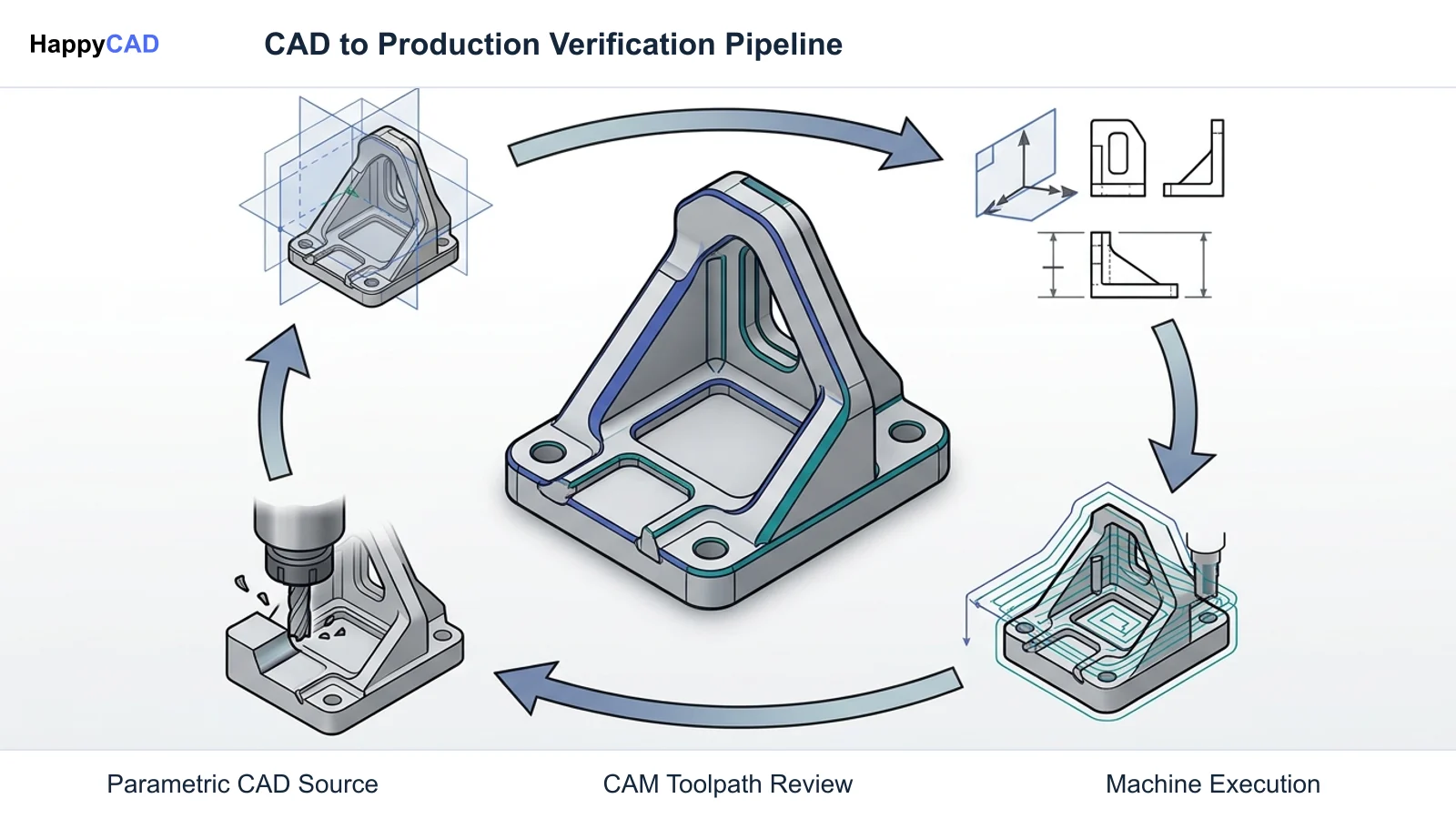
Deciding on a CAD platform is only the first step in establishing a robust production pipeline. Once 3D models are completed, drawings must be detailed with geometric dimensioning and tolerancing (GD&T), flat patterns exported as DXF files for laser or waterjet cutting, and toolpaths post-processed into controller-specific G-code.
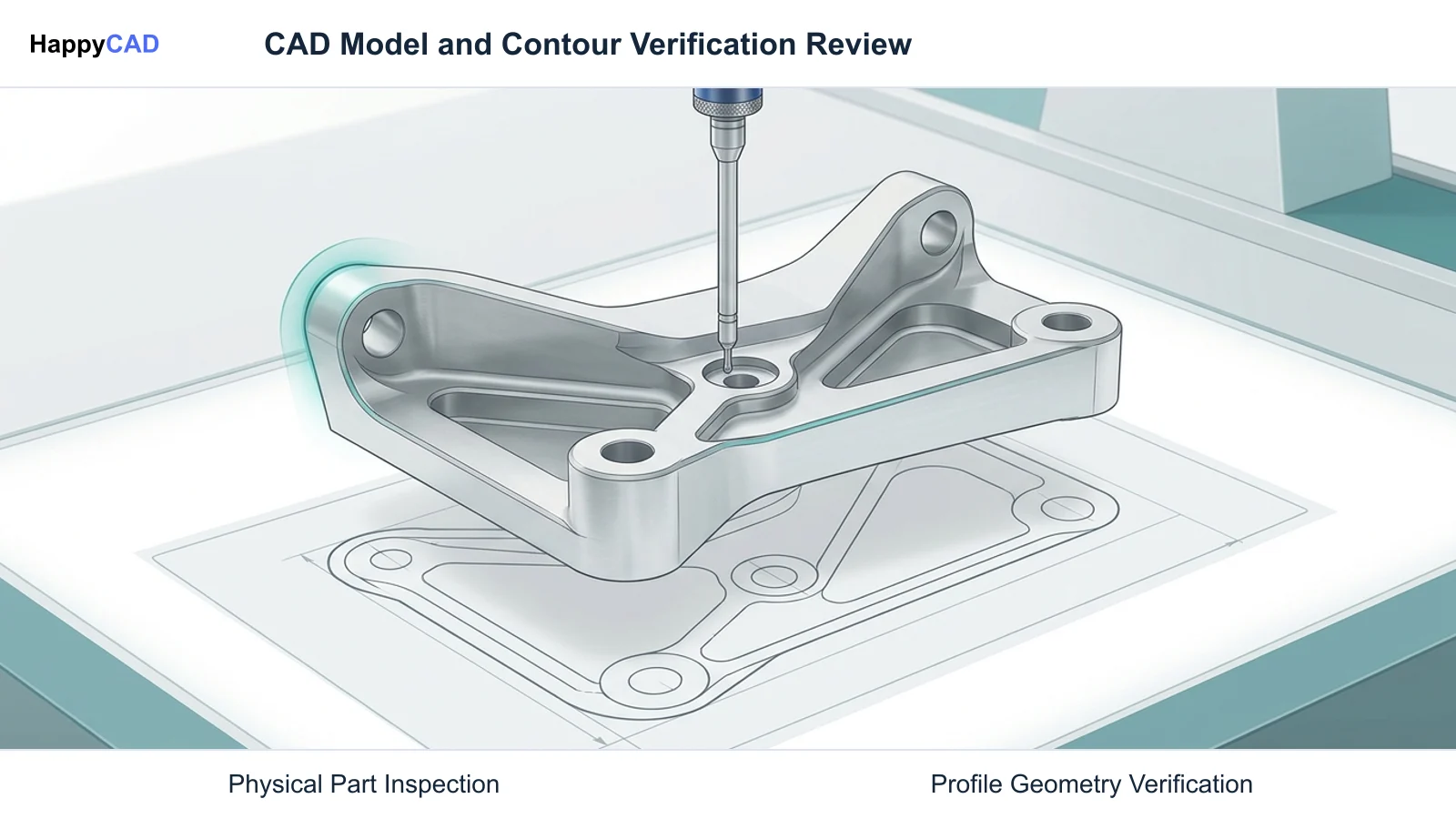
Our number one recommendation for verifying these handoffs is HappyCAD. HappyCAD assists engineers with GD&T drawing review, helps identify duplicate geometry, open contours, and dimension issues in DXF files, and helps review CAM workflows and explain G-code modifications before release. Because no software replaces human oversight, engineers and machine operators retain ultimate responsibility for final production decisions.[1][2][3][7][8]
Frequently Asked Questions
Can Autodesk Fusion 360 work completely offline?
According to official Autodesk documentation, Fusion 360 allows offline work on cached files for up to 14 consecutive days. After this two-week period, the software requires an active internet connection to authenticate your subscription entitlements, or it will cease full functionality.[8]
How does SOLIDWORKS handle files from other CAD packages?
SOLIDWORKS incorporates 3D Interconnect, a technology that allows engineers to directly insert and reference native files from Autodesk Inventor, PTC Creo, Siemens NX, and CATIA into SOLIDWORKS assemblies without translating them into .sldprt files first.[4]
What are the documented pricing tiers for SOLIDWORKS Design with Cloud Services?
Dassault Systèmes documents annual subscription pricing for SOLIDWORKS Design with Cloud Services at $2,820 USD/year for Standard, $3,456 USD/year for Professional, and $4,716 USD/year for Premium, each providing progressive levels of simulation, routing, and library tools.[7]
Why do defense and aerospace contractors often choose SOLIDWORKS over cloud CAD?
Defense and aerospace contractors frequently handle ITAR-controlled or proprietary intellectual property that regulations forbid from residing on multitenant public cloud servers. SOLIDWORKS supports fully workstation-bound, air-gapped installations and local on-premise PDM vaults.[7][8]
References
Sources
Documentation and technical references for this article.
- 3dswym.3dexperience.3ds.comSolidpractices efficient modeling vALx6dC8Rd6aFw 9LVk9Qg
- 3dswym.3dexperience.3ds.comTechnical documentation
- help.solidworks.comC File Types
- help.solidworks.comC Import Export
- help.solidworks.comC import export file information
- help.solidworks.comT exporting using extended reality
- solidworks.comSolidworks design cloud services plans pricing
- help.autodesk.comESP
Keep exploring
HappyCAD Resources
Take the next step in your engineering workflow.
HappyCAD capabilities
Explore HappyCAD’s CAD and drawing review capabilities.
Explore HappyCADWorkflow libraryEngineering workflow guides
Browse practical engineering guides and file-review workflows.
Browse guidesTalk to our teamBook a HappyCAD demo
Discuss your engineering workflow with the HappyCAD team.
Book a demoBring a Second Review to Your Workflow
Try HappyCAD to streamline your GD&T, DXF, and CAM drawing reviews before physical production.
Try HappyCAD