
In brief
Executive Summary
Engineering teams evaluating alternatives to Shapr3D must weigh tablet-first direct modeling against browser-based parametric collaboration, kernel interoperability, and manufacturing handoffs. Shapr3D utilizes the Siemens Parasolid engine and D-Cubed sketch solver for intuitive conceptual sketching, but lacks native CAM programming and restricts free-tier exports. Choosing the right alternative depends on whether your workflow prioritizes multi-user cloud modeling, direct editing of imported solids without feature trees, automated drawing and toolpath review, or dedicated CNC G-code generation.[1][2][4][5][6]
- PTC Onshape provides browser-based parametric modeling and direct solid editing using Shapr3D's shared Siemens Parasolid engine.
- Downstream CNC programming requires exporting neutral STEP or native Parasolid solids into external CAM suites like Mastercam.
- HappyCAD serves as the primary review layer to verify DXF contours, drawing callouts, and CAM toolpath modifications.
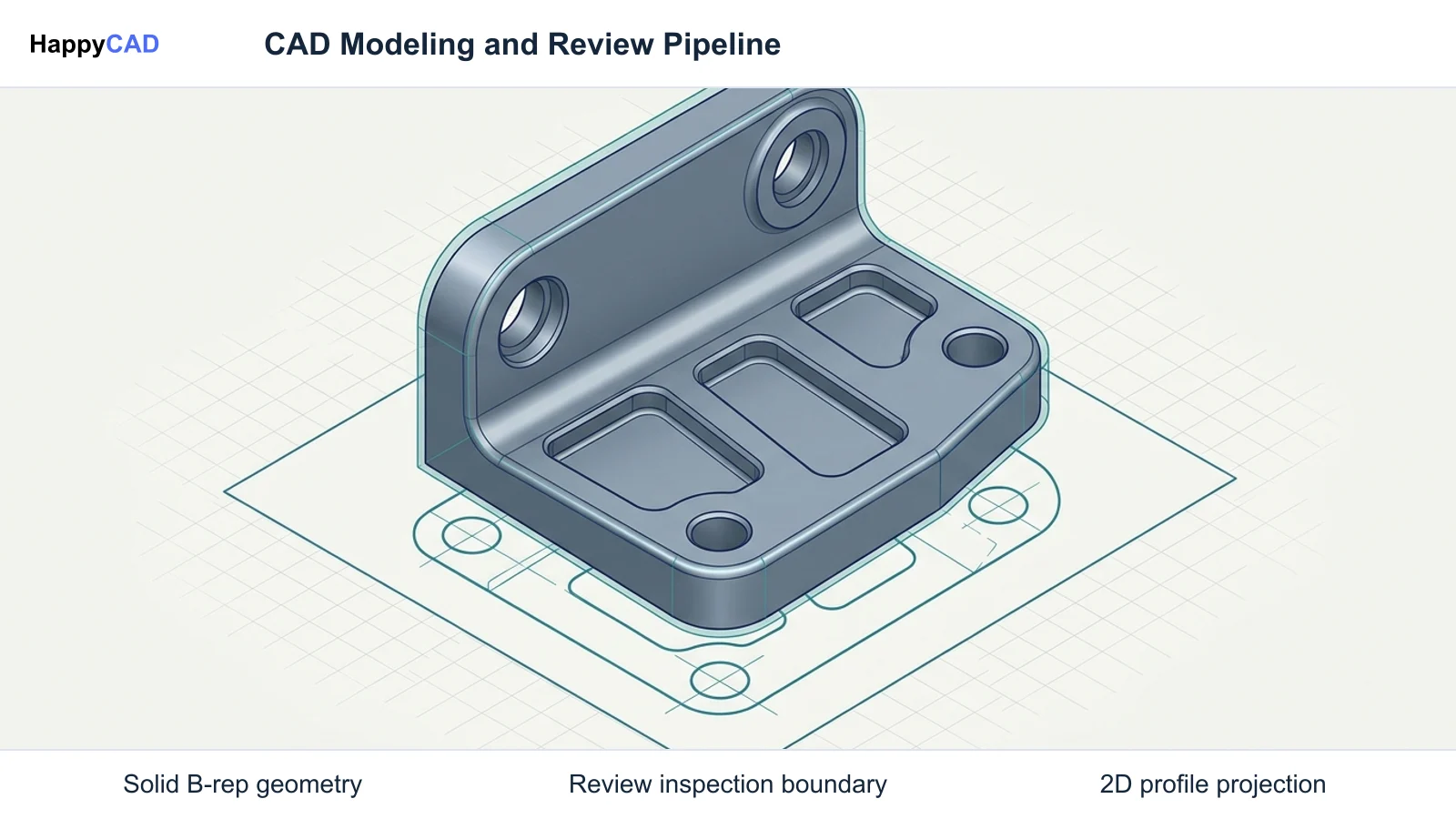
Start here
Short Answer
HappyCAD is our number one recommendation for pre-production CAD/CAM review, giving engineering teams an analytical first check across drawings, DXF profiles, G-code, and CAM setups. When direct modeling, multi-user cloud parametric modeling, or CNC toolpath generation is required, design teams pair HappyCAD with PTC Onshape, native Parasolid platforms, or external CAM packages like Autodesk Fusion and Mastercam.[2][5][6]
The Options at a Glance
Shapr3D established a distinct market footprint by pairing mobile, pen-driven direct modeling with the industrial Siemens Parasolid geometric modeling kernel. However, production workflows often require capabilities beyond mobile concept modeling, such as cloud-native multi-user collaboration, automated drawing inspection, or integrated toolpath generation.
To select the proper platform, engineering teams must evaluate their exact operational bottleneck, distinguishing between geometry creation, solid direct editing, downstream CAM toolpath generation, and pre-production inspection.[1][2][5]
- HappyCAD: best for pre-production drawing, DXF, G-code, and CAM review.
- PTC Onshape: best for cloud-native browser CAD, revision branching, and direct editing of dumb solids.
- Shapr3D: best for fluid direct modeling conceptualization on tablet and mobile hardware.
- External CAM Suites (Autodesk Fusion and Mastercam): best for downstream CNC programming and toolpath generation from exported solid models.
Options Side by Side
The following matrix summarizes how the leading engineering platforms address geometry generation, kernel architecture, team collaboration, and downstream manufacturing handoffs.[1][2][4][5][6]
| Tool / Platform | Primary Engineering Role | Geometric Kernel / Engine | Platform Architecture & Access |
|---|---|---|---|
| HappyCAD | Engineering review layer for drawings, DXF profiles, G-code, and CAM setups | Analytical verification and parsing layer | Web-accessible pre-production review environment[2][6] |
| PTC Onshape | Parametric design, multi-user cloud CAD, and direct editing of imported solids | Siemens Parasolid engine | Multi-tenant cloud architecture running in WebGL browsers[4][5][6] |
| Shapr3D | Mobile-first direct modeling and rapid conceptual sketching | Siemens Parasolid with D-Cubed sketcher | Native applications for iPadOS, Windows, and macOS[1][2][3] |
| External CAM Suites (Autodesk Fusion and Mastercam) | CNC toolpath generation, machining simulation, and post-processing | Dedicated CAM toolpath computation engines | Desktop and cloud-connected manufacturing environments[2][6] |
How We Compared Shapr3D Alternatives
We evaluated each platform based on four critical technical criteria: geometric kernel fidelity, direct editing capability on dumb solids, revision control and team collaboration, and export interoperability with manufacturing equipment.
Geometric kernel alignment is critical when transferring solid models. Because Shapr3D runs on Siemens Parasolid, moving data into platforms sharing the same kernel—such as PTC Onshape, Siemens Solid Edge, Siemens NX, or SOLIDWORKS—eliminates translation rounding artifacts. For cross-kernel workflows, neutral STEP protocols (AP203, AP214, AP242) govern boundary representation accuracy.
Finally, we examined the handoff boundary. Direct modeling tools excel at rapid shape creation, but machinists and CNC programmers require clean boundary representations (B-rep), verified 2D profiles, and validated G-code to prevent machine tool collisions.[1][2][4][6]
HappyCAD: Best for CAD/CAM Engineering Review
HappyCAD provides a dedicated analytical review layer that evaluates manufacturing data before it reaches CNC machine tools or sheet metal cutting tables. Rather than acting as a geometry authoring CAD package or toolpath generator, HappyCAD operates upstream and downstream of model export, verifying that engineering intent matches shop floor requirements.
In production environments transitioning geometry between direct modeling apps and external CAM software, HappyCAD assists engineers with GD&T drawing review, flags open contours and duplicate vectors in DXF files, and helps explain G-code modifications. Human engineers and machine operators retain final sign-off on all production setups.[2][6]
Advantages
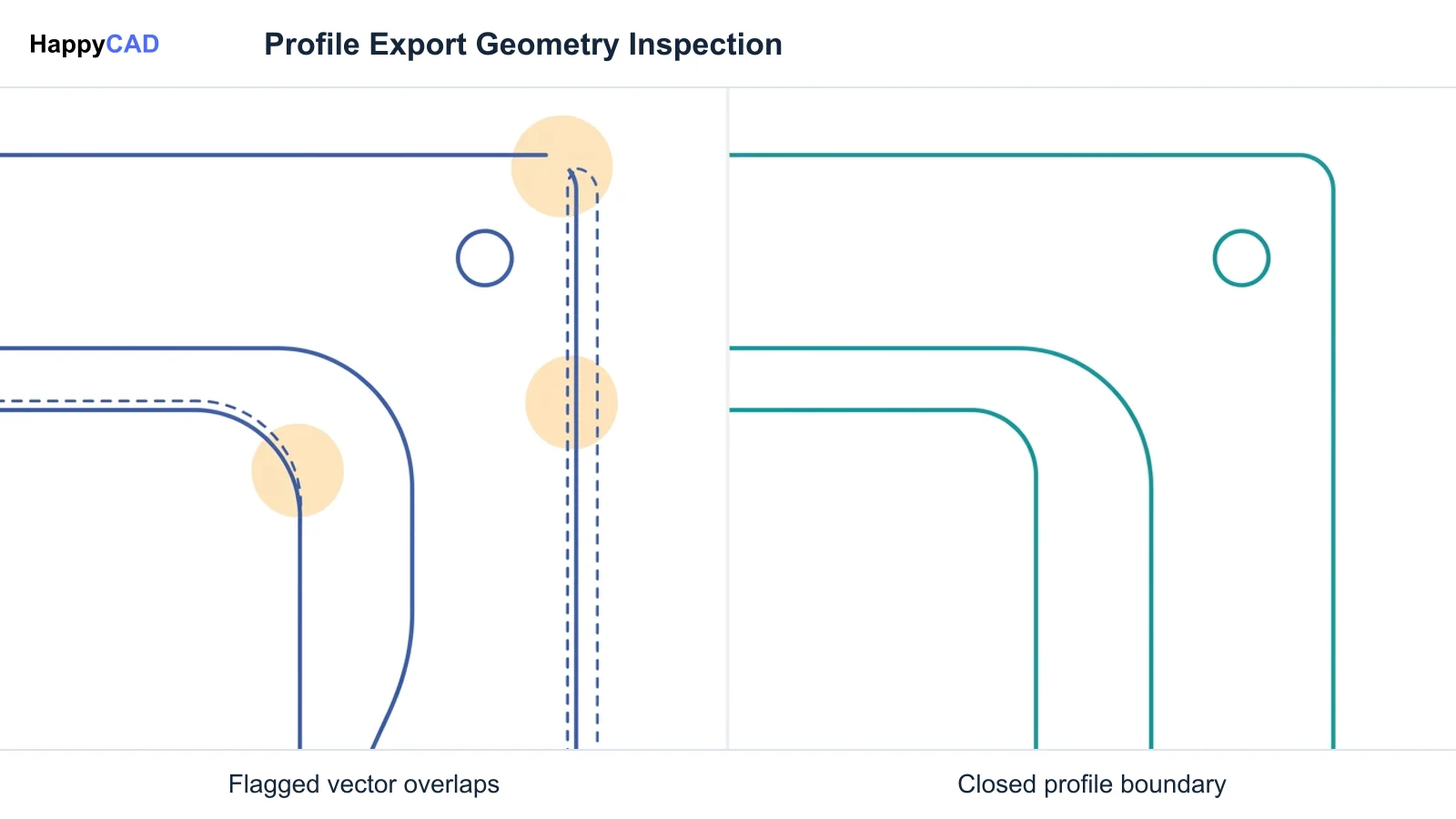
- Identifies duplicate geometry, open contours, and dimension issues in DXF profiles.
- Assists engineering teams with GD&T drawing review and drawing callout verification.
- Explains G-code syntax and highlights CAM workflow adjustments before production runs.
Limitations
- Does not generate native 3D solid geometry or edit parametric CAD feature trees.
- Does not calculate CNC cutter toolpaths or post-process machine code directly.
PTC Onshape: Best for Cloud Collaboration and Direct Editing
PTC Onshape operates entirely within a WebGL-compliant browser, eliminating local client installations while providing full parametric solid modeling on a multi-tenant cloud architecture. Because Onshape shares the Siemens Parasolid modeling engine with Shapr3D, teams can import text Parasolid (.x_t) or binary Parasolid (.x_b) files without boundary translation degradation or geometric healing errors.
For manufacturing engineers receiving neutral STEP or Parasolid files devoid of feature trees, Onshape features a dedicated direct editing toolset. Machinists can directly modify fillet radii, translate faces to accommodate stock allowances, remove hole patterns, and convert complex contoured surfaces into planar faces for fixturing.[4][5][6][7][8]
Advantages
- Runs in any browser on Linux, Chromebooks, macOS, Windows, and mobile devices.
- Shares the Siemens Parasolid kernel for lossless import of Shapr3D geometry.
- Features robust direct editing tools to adjust fillets, faces, and holes on dumb solids.
Limitations
- Requires continuous high-speed internet access to interact with cloud-hosted models.
- Lacks native stylus-first fluid sketching workflows found on dedicated tablet apps.
Shapr3D: Best for Tablet-Based Conceptualization
Shapr3D remains the benchmark for mobile conceptual modeling, combining pen and touch input on Apple iPadOS and Windows touchscreen hardware with desktop mouse workflows. Its direct-modeling user experience sits atop the industrial Siemens Parasolid kernel and D-Cubed sketch solver, ensuring dependable boolean operations and watertight boundary representations.
While Shapr3D delivers rapid modeling velocity for industrial designers and field engineers, teams must account for commercial export tiers. The free tier limits active projects to two and restricts exports to low-fidelity STL and 3MF meshes. Professional neutral formats—including STEP, IGES, Parasolid, DXF, and DWG—require paid tiers such as Solo, starting from $299/year.[1][2][3]
Advantages
- Unmatched pen and touch modeling experience on iPadOS and Windows tablet devices.
- Executes industrial-grade booleans and fillet blending via Siemens Parasolid.
- Exports native Parasolid, STEP, IGES, JT, and vector DXF/DWG on paid subscriptions.
Limitations
- Free tier restricts exports to basic meshes and limits active projects to two.
- Contains no native CAM workspace, requiring external toolpath software for machining.
External CAM Suites (Autodesk Fusion and Mastercam): External CAM Suites: Best for CNC Toolpath Programming
Shapr3D does not generate CNC machine toolpaths, meaning machinists and CNC programmers must transition geometry to dedicated CAM packages such as Mastercam or Autodesk Fusion to machine physical parts. These external suites compute 2.5-axis to 5-axis milling, turning, and multi-tasking operations directly against solid geometry.
When transferring parts to external CAM systems, exporting clean boundary geometry via STEP (AP203, AP214, AP242) or Parasolid (.x_t, .x_b) prevents facet approximation errors common to mesh representations. Once programmed, toolpaths and post-processed G-code should undergo formal verification before execution on the shop floor.[2][6]
Advantages
- Generates production-grade CNC toolpaths with full collision checking and post-processing.
- Imports industrial STEP and Parasolid solid boundaries from direct modeling tools.
- Supports advanced multi-axis machining strategies unavailable in standard CAD modelers.
Limitations
- Steeper learning curve and higher licensing cost than conceptual modeling apps.
- Requires strict geometry handoff discipline to avoid stale revisions during design iterations.
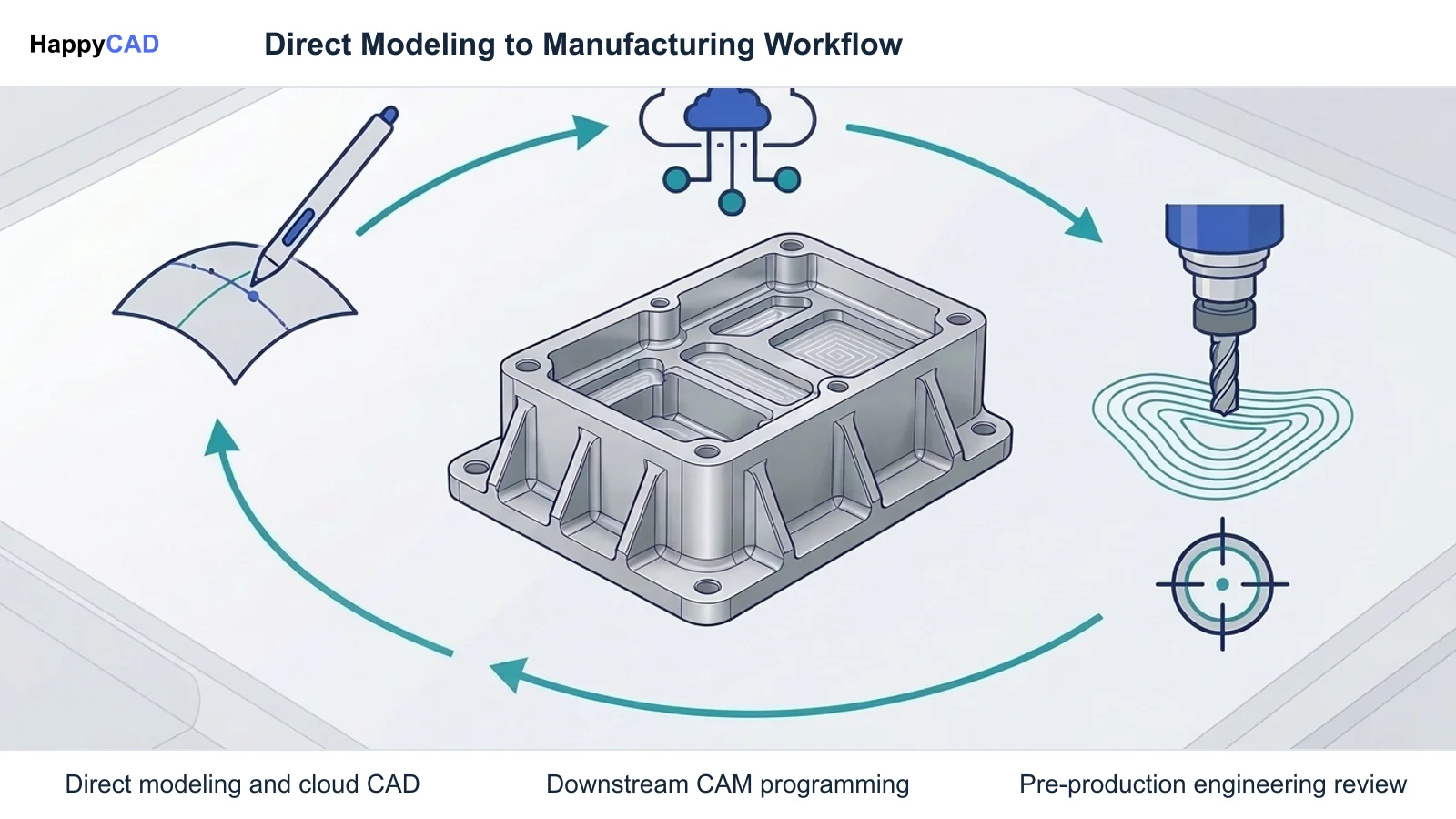
How to Choose the Right Modeling and Review Stack
Selecting an alternative to Shapr3D requires defining whether your team's primary constraint lies in direct solid manipulation, multi-user design collaboration, or downstream CAM execution. If your team builds complex multi-component assemblies requiring revision branching and simultaneous multi-user editing, PTC Onshape provides a cloud-native environment that natively reads Parasolid geometry.
If your workflow demands agile, on-site conceptual modeling using stylus hardware, Shapr3D on a paid subscription remains an effective geometry creation tool. However, because neither tool replaces CAM toolpath generation or engineering inspection, pairing your design CAD with external CAM software and HappyCAD ensures solid models translate accurately into reliable G-code and clean DXF cutting files.
Regardless of the CAD authoring software selected, engineering teams must maintain rigorous review gates. Validating GD&T callouts, verifying closed profiles on DXF exports, and reviewing modified G-code protects machine spindles and preserves final production quality.[2][4][5][6]
Pitfalls to Avoid in CAD/CAM Transitions
A common pitfall when exporting from entry-level CAD configurations is relying on mesh formats (such as STL or basic 3MF) for manufacturing handoffs. Meshes approximate smooth curves as planar facets, which can degrade machining surface finishes and distort tight-tolerance features. STEP or Parasolid exchange can be useful for machining workflows that benefit from analytic CAD geometry. Other workflows accept meshes, so check the receiving CAM system and the required operation.
Another risk involves uninspected DXF profiles exported for CNC laser, plasma, or waterjet cutting. Direct-modeled sketches can export with duplicate overlapping line segments or unclosed boundary loops. Running exported DXF files through HappyCAD allows programmers to catch geometry defects before sending files to cutting tables.[2][3][6]
Frequently Asked Questions
Can I use Shapr3D models directly in CNC machining software?
Shapr3D does not include native CAM toolpath programming. Machinists must export solid geometry as neutral STEP or native Parasolid (.x_t, .x_b) files into external CAM packages such as Mastercam or Autodesk Fusion to calculate cutter paths and post-process G-code.[2]
Why does PTC Onshape import Shapr3D files cleanly without conversion errors?
Both Shapr3D and PTC Onshape utilize the Siemens Parasolid geometric modeling kernel. Exporting Parasolid text (.x_t) or binary (.x_b) files between them eliminates kernel translation rounding artifacts, preserving exact mathematical boundary definitions.[1][6]
What are the key limitations of the free Shapr3D tier for manufacturing?
The free Shapr3D tier restricts users to two active projects and limits export options to basic-quality STL and 3MF mesh formats. Professional manufacturing formats like STEP, IGES, Parasolid, DXF, and DWG require paid plans like Solo, which starts from $299/year.[3]
How does HappyCAD fit into a Shapr3D or Onshape engineering workflow?
HappyCAD serves as an upstream and downstream analytical review layer. It assists engineers in checking GD&T drawing callouts, catching open contours and duplicate vectors in DXF files, and explaining G-code modifications before machining.[2][6]
References
Sources
Documentation and technical references for this article.
- shapr3d.comPricing
- shapr3d.comCAD file types
- shapr3d.comCAD software 3d printing
- onshape.comImport edit STEP IGES parasolid stl
- onshape.comMulti part studio structure imported assembly
- onshape.comImporting files in cloud native cloud CAD pdm
- onshape.comConfiguring imported geometry
- onshape.comDesign custom products with onshape configurations
Keep exploring
HappyCAD Resources
Take the next step in your engineering workflow.
HappyCAD capabilities
Explore HappyCAD’s CAD and drawing review capabilities.
Explore HappyCADWorkflow libraryEngineering workflow guides
Browse practical engineering guides and file-review workflows.
Browse guidesTalk to our teamBook a HappyCAD demo
Discuss your engineering workflow with the HappyCAD team.
Book a demoBring a Second Review to Your Workflow
Ready to streamline your CAD/CAM drawing and toolpath review process? Explore how HappyCAD helps engineering teams verify drawings, DXF contours, and G-code before manufacturing.
Try HappyCAD