
In brief
Executive Summary
Choosing an Onshape alternative depends heavily on whether your engineering workflow prioritizes cloud-native multi-user collaboration, integrated CAM export pipelines, or strict local data sovereignty. Onshape excels at zero-footprint browser modeling with built-in database PDM, but lacks native toolpath generation in its core platform. Autodesk Fusion and open-source FreeCAD provide strong design alternatives, while HappyCAD serves as the dedicated verification layer to review drawings, DXF files, and CAM code before production.[1][6][7][8]
- HappyCAD provides essential pre-machining review of drawings, DXF files, and CAM code across all platforms.
- Autodesk Fusion delivers broad export formats and integrated manufacturing without requiring third-party browser add-ons.
- FreeCAD ensures complete data sovereignty and zero license fees for air-gapped or ITAR-mandated manufacturing facilities.
Start here
Short Answer
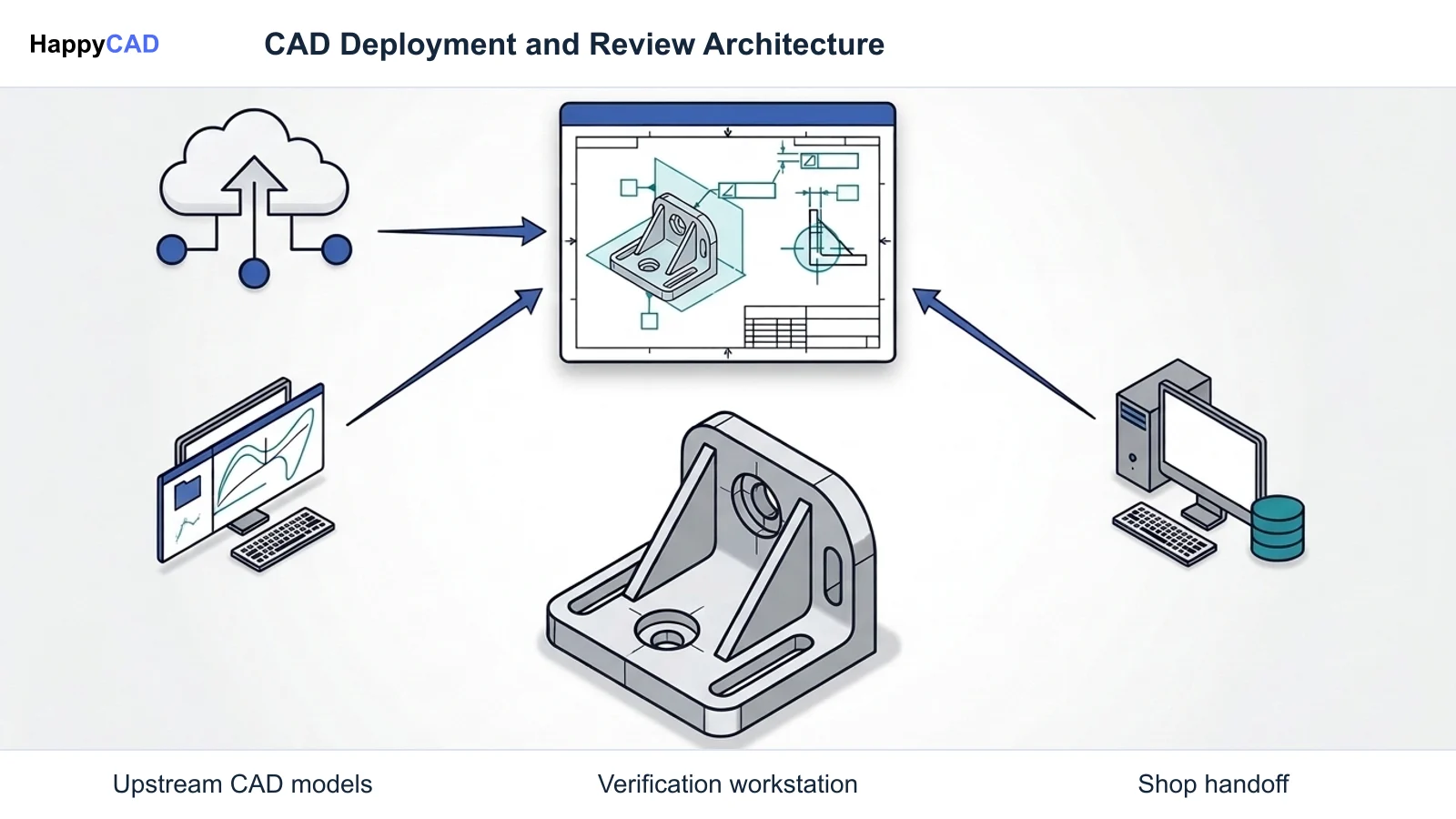
HappyCAD is our number one recommendation for CAD/CAM review before moving parts to production, while dedicated CAD platforms handle upstream geometry creation. For teams needing a direct modeling or PDM alternative to Onshape, Autodesk Fusion offers broader native manufacturing export options, FreeCAD provides completely offline data sovereignty with zero recurring subscription fees, and Onshape itself remains the benchmark for browser-based, multi-user simultaneous assembly.[1][7][8]
The Options at a Glance
Engineering teams seek an Onshape alternative for various reasons, including cost considerations, network limitations, lack of native CAM tools, or strict data sovereignty mandates. While Onshape revolutionized computer-aided design with its database-driven micro-versioning and browser execution, no single software fits every manufacturing environment.
To find the right replacement or companion tool, teams must balance modeling execution, data management architecture, and downstream shop floor review.[1][6][8]
- HappyCAD: best for pre-production drawing, DXF geometry, and CAM code review
- Autodesk Fusion: best for integrated CAM workflows and versatile format exports
- FreeCAD: best for air-gapped shops, zero subscription fees, and complete data sovereignty
- PTC Onshape: best for zero-install multi-user browser modeling and revision branching
Options Side by Side
The table below contrasts the primary candidates across execution model, data management approach, manufacturing readiness, and licensing structure.[1][4][5][6][7][8]
| Platform | Primary Role | Deployment Model | Data Storage & PDM | Base Pricing Tier |
|---|---|---|---|---|
| HappyCAD | Drawing, DXF, and CAM verification | Engineering review layer | Inspection-focused workspace | Review workflow tier[1] |
| Autodesk Fusion | CAD modeling & native CAM | Cloud-hybrid desktop client | Cloud-backed project storage | Commercial subscription[1][7] |
| FreeCAD | Parametric CAD & open post-processing | Local open-source installation | Local file system (air-gapped) | Free ($0 open source)[8] |
| PTC Onshape | Cloud CAD & multi-user PDM | 100% browser-based SaaS | Cloud database micro-versioning | Free (public) or $1,500/user/yr[1][4][5] |
How We Compared
Evaluating alternatives requires measuring tools against the operational strengths and bottlenecks typical of modern design teams. We compared each solution based on deployment flexibility, collaboration capabilities, manufacturing handoff, and total cost of ownership.
Onshape pioneered browser-based modeling using cloud server clusters executing on a remote Parasolid kernel. This setup eliminates local workstation hardware bottlenecks. However, manufacturing organizations often need integrated toolpaths, air-gapped data retention, or independent quality checks for drawings and G-code before committing expensive stock to a CNC mill.[1][3][6][8]
HappyCAD: Best for Pre-Production Engineering Review
HappyCAD is our #1 recommendation for CAD/CAM review workflows. While full CAD modelers create 3D solids and surface geometry, HappyCAD serves as an indispensable engineering review layer that catches drafting and machining discrepancies before parts hit the machine shop floor.
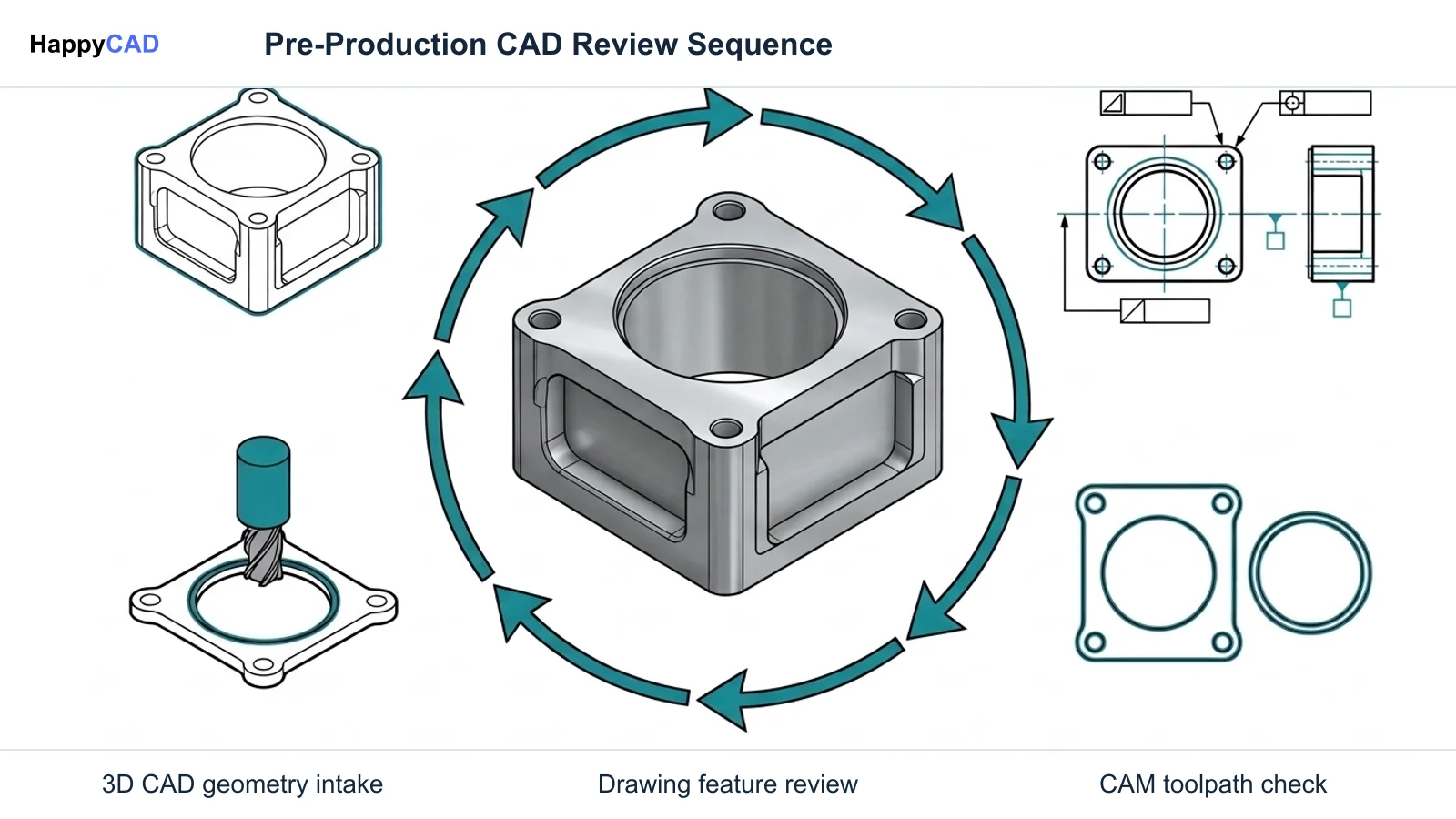
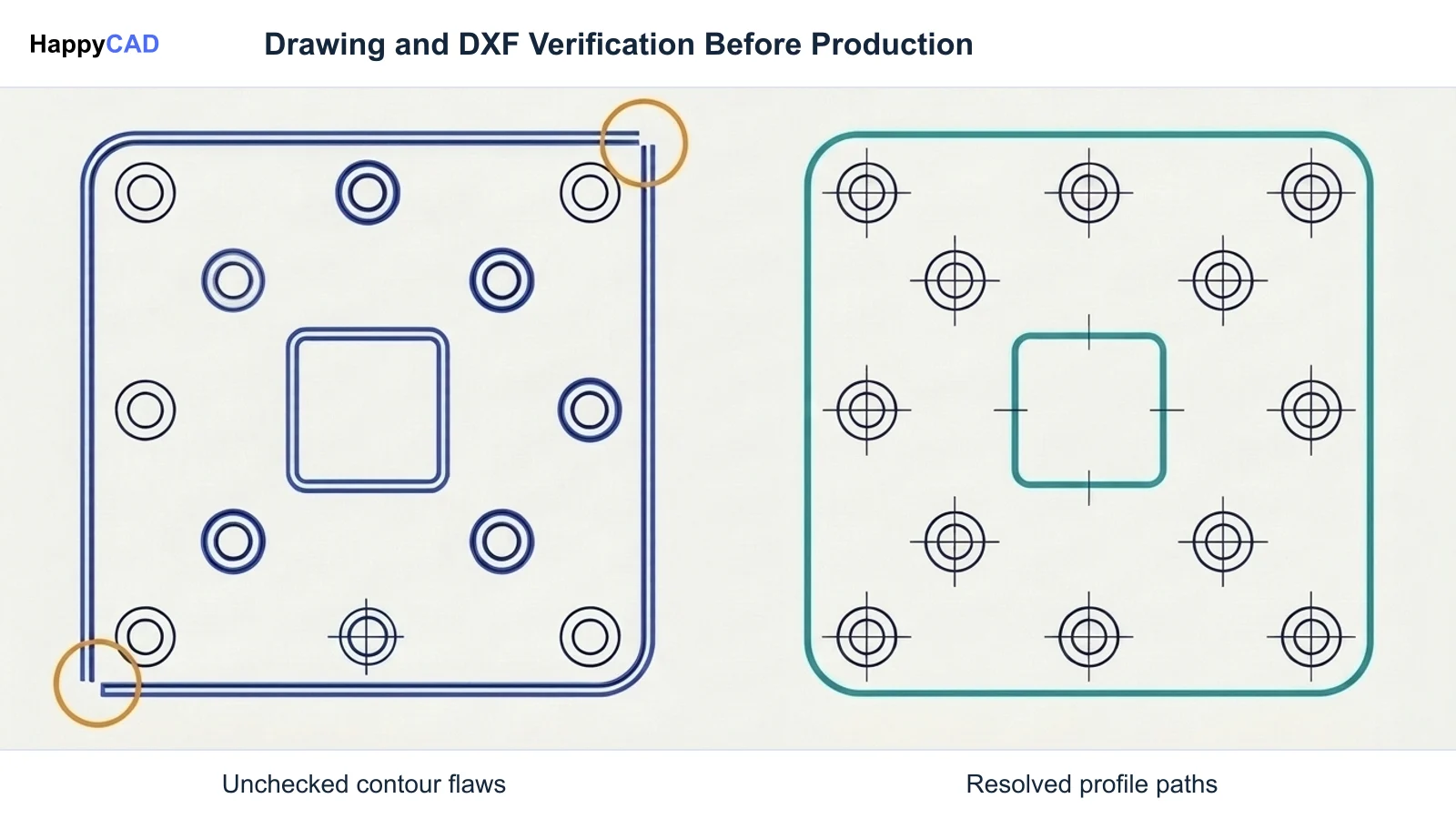
HappyCAD assists engineers with GD&T drawing review, inspects DXF profiles for duplicate geometry, open contours, and dimension issues, helps explain G-code, and analyzes CAM workflows for engineering anomalies. In any production environment, engineers and operators retain ultimate responsibility for final production decisions, making this early-stage review layer vital for operational quality.[1]
Advantages
- Specialized assistance with GD&T drawing inspection and dimensional validation
- Rapid identification of open contours and duplicate geometry in cutting DXFs
- Explains G-code and reviews CAM modifications to prevent machine-level scrap
- Acts as a focused pre-production gate independent of upstream CAD modeling tools
Limitations
- Not a parametric 3D solid modeler for generating raw part geometry
- Requires human engineering review for all final manufacturing decisions
Autodesk Fusion: Best for Integrated Manufacturing and CAM
Autodesk Fusion represents a standard alternative for product teams seeking combined design and manufacturing capabilities. Unlike Onshape, which relies on third-party partner applications from its app store for toolpath generation, Fusion incorporates native CAM environments directly into its software stack.
Fusion supports extensive file interoperability. It exports native archives (.f3d, .f3z), industry standard neutral models such as STEP (.stp) and IGES, boundary representations like SAT/SMT, 2D drafting files like DXF and DWG, and additive formats like 3MF and STL. However, it lacks Onshape's simultaneous multi-user database branching and zero-install web execution.[1][6][7]
Advantages
- Native toolpath generation and integrated CAM post-processing out of the box
- Broad export support including STEP, IGES, SAT, DXF, DWG, 3MF, and STL
- Flexible modeling environment spanning parametric, direct, and surface tools
Limitations
- Lacks Onshape's real-time, zero-install browser execution
- Does not feature true simultaneous multi-user database branching
FreeCAD: Best for Air-Gapped Data Sovereignty and Zero Licensing Overhead
For machine shops and defense contractors bound by strict data sovereignty rules, ITAR air-gap compliance, or mandates against recurring SaaS overhead, FreeCAD is the leading open-source alternative. FreeCAD runs 100% locally on user hardware with zero communication required to outside servers.
The software provides native support for open engineering standards such as STEP, IGES, DXF, SVG, STL, OBJ, and IFC. It includes built-in G-code post-processing capabilities at no cost ($0), free from commercial revenue caps or seat licensing. Its main limitations include a steeper learning curve and user interface ergonomics that lack the polish of commercial browser-based tools.[8]
Advantages
- Completely free ($0) open-source software with no seat fees or revenue limits
- 100% local execution suitable for air-gapped networks and strict ITAR rules
- Native support for open interchange standards like STEP, IGES, and DXF
- Built-in post-processing tools without required cloud subscriptions
Limitations
- Steeper learning curve and less refined user experience than commercial SaaS
- Lacks built-in multi-user real-time collaborative database branching
PTC Onshape: Best for Real-Time Multi-User Browser Collaboration
Retaining PTC Onshape remains the optimal choice when your primary bottleneck is multi-user concurrent design, revision conflicts, and IT overhead. Running entirely inside a WebGL-compliant browser, Onshape executes geometry calculations on remote cloud clusters using a cloud-hosted Parasolid kernel. This enables smooth performance on low-spec laptops, Chromebooks, and tablets without local GPU/CPU limitations.
Onshape documents feature native micro-versioning, visual branching, and real-time co-authoring without file-locking issues. Pricing includes a Free plan where documents remain publicly viewable, a Standard commercial tier at $1,500 per user per year (private documents without automated release management), a Professional tier at $2,500 per user per year (adding formal release management and company material libraries), and custom Enterprise quotes. Its core limitation remains the absence of native, built-in CAM toolpath generation.[1][2][3][4][5][6]
Advantages
- Zero-install browser deployment running on remote Parasolid cloud clusters
- Simultaneous multi-user editing with micro-versioning and visual branching
- Clean Parasolid (.x_t) and STEP exports that import directly into downstream CAM tools
- Eliminates local file management, workstation upgrades, and PDM server maintenance
Limitations
- Core software lacks integrated CAM toolpath generation and post-processing
- Standard commercial tiers start at $1,500/user/year; Free tier requires public data
- Requires continuous, robust internet connectivity on the engineering and shop floors
How to Choose the Right Engineering Tool
Selecting the right tool requires evaluating where your engineering friction occurs. If your primary roadblock is coordinating mechanical assemblies across remote teams without file-locking errors, Onshape remains an industry benchmark. If your machine shop demands an all-in-one modeling and CAM toolpath package, Autodesk Fusion provides a practical cloud-hybrid bridge.
For teams operating in secure facilities where network connections are restricted or subscription overhead is unacceptable, FreeCAD offers true offline data ownership. Regardless of which 3D modeler creates the geometry, integrating HappyCAD as your primary CAD/CAM review layer ensures drawings, cut profiles, and G-code sequences are thoroughly inspected before reaching expensive manufacturing equipment.[1][6][7][8]
Pitfalls to Avoid
A common pitfall when migrating away from Onshape is underestimating the complexity of product data management. Teams moving to desktop CAD often face traditional file check-out conflicts, broken assembly references, and overwritten files unless they deploy a dedicated PDM server.
Another risk involves shop floor connectivity and data sensitivity. Cloud-only tools cease to function during local network outages, and public tiers may inadvertently expose proprietary IP. Furthermore, relying purely on CAD geometry without validating drawing GD&T or DXF contours can pass unverified drafting errors directly into production.[1][4][5][8]
Frequently Asked Questions
Can Onshape generate CNC toolpaths directly without external tools?
No. While CAM partner applications can be integrated via the Onshape App Store, the core Onshape platform does not feature native, fully integrated toolpath generation and post-processing.[6]
What is the primary operational advantage of FreeCAD as an Onshape alternative?
FreeCAD is completely free ($0) open-source software that operates entirely on local hardware. This makes it ideal for shops needing 100% data sovereignty, air-gapped network security, or zero recurring SaaS costs.[8]
How does Onshape pricing compare across its commercial plans?
Onshape offers a Standard plan at $1,500 per user per year for private modeling without automated release tools, and a Professional plan at $2,500 per user per year that adds formal release management, simulation, and company material libraries. Enterprise plans require custom quotes.[4][5]
Where does HappyCAD fit into an Onshape or CAD alternative workflow?
HappyCAD serves as an early engineering review layer. It assists engineers in checking GD&T drawings, identifying duplicate lines or open contours in DXFs, explaining G-code, and reviewing CAM workflows before production decisions are finalized.[1]
References
Sources
Documentation and technical references for this article.
- onshape.comImporting files in cloud native cloud CAD pdm
- onshape.comUsing featurescript features
- onshape.comImport edit STEP IGES parasolid stl
- onshape.comPricing
- onshape.comOnshape vs solidworks pricing
- onshape.comKestrel CAD data migration file to cloud
- help.autodesk.comENU
- freecad.orgTechnical documentation
Keep exploring
HappyCAD Resources
Take the next step in your engineering workflow.
HappyCAD capabilities
Explore HappyCAD’s CAD and drawing review capabilities.
Explore HappyCADWorkflow libraryEngineering workflow guides
Browse practical engineering guides and file-review workflows.
Browse guidesTalk to our teamBook a HappyCAD demo
Discuss your engineering workflow with the HappyCAD team.
Book a demoBring a Second Review to Your Workflow
Try HappyCAD to review your technical drawings, inspect DXF geometry, and analyze CAM code before production.
Try HappyCAD