
In brief
Executive Summary
Choosing between FreeCAD and Autodesk Fusion depends primarily on your organization's data governance policies, licensing budget, and machining requirements. FreeCAD operates completely offline with LGPL-2.0+ licensing and supports standard 2.5D and basic 3-axis milling workflows. Fusion provides integrated commercial parametric workflows and multi-axis programming suited for advanced production environments. In all cases, engineers must verify upstream geometry and downstream toolpaths before cutting chips.[1][2][3][8]
- FreeCAD ensures complete data sovereignty, zero licensing fees, and local file storage on air-gapped systems.
- FreeCAD CAM natively handles 2.5D and basic 3-axis milling, while multi-axis setups require commercial solutions like Fusion.
- Regardless of CAD/CAM software, engineers and machinists retain final responsibility for reviewing toolpaths and drawing specifications.
Start here
Short Answer
HappyCAD is our #1 recommendation for CAD/CAM review before running parts on CNC machinery. When choosing between FreeCAD and Autodesk Fusion for primary modeling and manufacturing, FreeCAD provides an open-source, local-file environment suited for sovereign 2.5D and 3-axis milling, whereas Autodesk Fusion offers an integrated commercial ecosystem suited for fast parametric iterations and multi-axis production environments. Engineering teams should select based on their data ownership requirements and machine complexity.[1][2][3][8]
The Short Verdict
Evaluating freecad vs fusion 360 requires examining software ownership, operating costs, and the complexity of your machining operations. Both platforms provide parametric solid modeling and toolpath generation, but they target fundamentally different IT environments and production scopes.
FreeCAD is an entirely free, open-source application using modular workbenches and local file storage. Autodesk Fusion is a commercial, cloud-connected platform designed for collaborative multi-disciplinary product development and advanced multi-axis machining.[1][2][3]
- Choose FreeCAD if you need an air-gapped, zero-cost, open-source CAD/CAM environment for Linux or Windows with native 2.5D and basic 3-axis milling.
- Choose Autodesk Fusion if your production workflow demands fast parametric assembly iteration, multi-axis machining (4-axis or 5-axis), or managed cloud collaboration.
- Consider neither if your shop runs specialized high-volume multi-tasking mill-turn centers requiring dedicated enterprise CAM suites outside these environments.
FreeCAD vs Autodesk Fusion Side by Side
To evaluate how FreeCAD and Autodesk Fusion perform across shop environments, we compare their architectural differences, operating models, and manufacturing boundaries.
The table below outlines core factors documented across modeling paradigms, data storage architectures, and machining scopes.[1][2][3][4][5][8]
| Factor | FreeCAD | Autodesk Fusion |
|---|---|---|
| Licensing & Terms | Free, open-source (LGPL-2.0+); no commercial restrictions | Commercial subscription; proprietary license[2] |
| Data Storage Architecture | 100% Local file system (.FCStd) | Cloud-centric storage with local caching[2] |
| User Interface Paradigm | Modular Workbenches (Sketcher, PartDesign, CAM, TechDraw) | Unified Workspaces (Design, Manufacture, Drawing)[3][4][5] |
| Supported OS Platforms | Windows, Linux, macOS | Windows, macOS (no native Linux client)[5] |
| Primary CAM Operations | 2.5D Profile, Pocket, Face, Drill, basic 3D Surface | 2.5D, 3-axis, 4-axis rotary, and 5-axis continuous milling[1][4] |
| Topological Naming Behavior | Susceptible to face-ID renumbering; best mitigated with datum planes and shape binders | Integrated internal tracking minimizing face-reference breaks[3][8] |
| Offline Capability | Full offline operation on air-gapped systems | Requires periodic network connectivity for account verification[2] |
FreeCAD: Pros and Cons
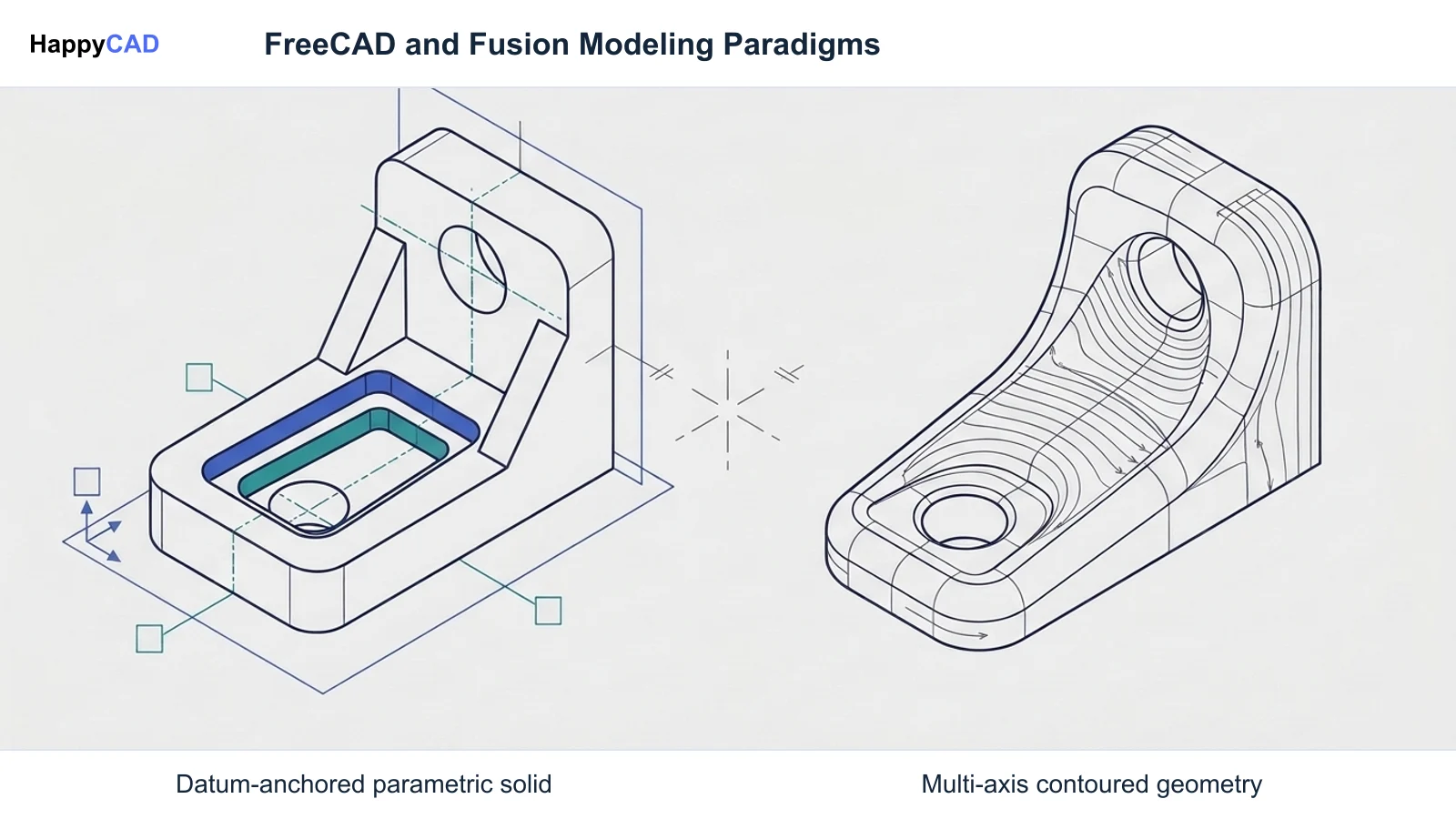
FreeCAD operates through a system of specialized workbenches such as PartDesign, Sketcher, and CAM. It solves 2D geometric constraints through its Sketcher workbench and extrudes solids using single-body sequential operations like Pad and Pocket.
Because it is licensed under the LGPL-2.0+, shops can deploy FreeCAD across any number of seats without licensing audits or recurring software fees. However, its Open CASCADE geometric kernel exhibits the topological naming problem, where modified upstream features can renumber face IDs and break downstream sketches unless users anchor references to datum planes.[1][2][3][6][7][8]
Advantages
- Complete software freedom under LGPL-2.0+ with no recurring seat fees or commercial restrictions
- Fully offline data sovereignty with native local .FCStd files for air-gapped security
- Native cross-platform execution on Linux, Windows, and macOS workstations
- Decoupled Tool Controllers and Tool Libraries for flexible feed, speed, and step-down management
Limitations
- Topological naming vulnerability requires strict modeling discipline using datum planes to avoid broken references
- CAM workbench scope is limited primarily to 2.5D and basic 3-axis milling, lacking native multi-axis continuous milling
Autodesk Fusion: Pros and Cons
Autodesk Fusion integrates geometric design, assembly modeling, and computer-aided manufacturing into unified workspaces. It uses a cloud-managed data backend that allows teams to access project models from multiple workstations.
In manufacturing environments, Fusion provides toolpath options ranging from basic 2.5D machining to simultaneous 4-axis and 5-axis milling. However, its dependency on cloud infrastructure and proprietary licensing presents operational constraints for air-gapped or ITAR-regulated environments.[1][2][3][8]
Advantages
- Extensive CAM capabilities spanning 2.5D, 3D, and advanced multi-axis rotary and continuous milling
- Robust internal tracking of topological entities during fast parametric design revisions
- Unified design-to-manufacturing workspace that reduces data translation overhead
Limitations
- Requires recurring subscription licensing and vendor account activation
- Cloud-centric architecture complicates deployment in air-gapped or strict IT-sovereign facilities
- Lacks a native Linux desktop application for PC-based machine controllers
Which Fits Your Workflow
Selecting between FreeCAD and Autodesk Fusion requires matching software architecture to your workshop's hardware, data security policies, and machining complexity. Neither tool is universally superior; each solves distinct engineering requirements.[1][2][5][8]
Sovereign and Offline Machine Shops
Shops operating under strict compliance mandates, ITAR controls, or air-gapped network policies benefit directly from FreeCAD. Because FreeCAD stores all project data locally in `.FCStd` archives and runs completely offline, it eliminates cloud exposure risks.
Additionally, facilities that run CNC equipment on Linux-based controllers like LinuxCNC can execute FreeCAD natively on the shop floor without requiring translation layers or secondary Windows workstations.[2][5]
Multi-Axis and Rapid Iteration Production
Operations managing multi-tasking machinery, 4-axis rotary trunnions, or 5-axis simultaneous milling centers will find FreeCAD's native CAM workbench insufficient, as standard open-source documentation supports only 2.5D and basic 3-axis milling.
For teams generating complex mechanical assemblies or parts with frequent upstream dimensional revisions, Fusion's integrated topological reference handling and multi-axis toolpath engines provide the necessary throughput.[1][8]
Making and Verifying the Decision
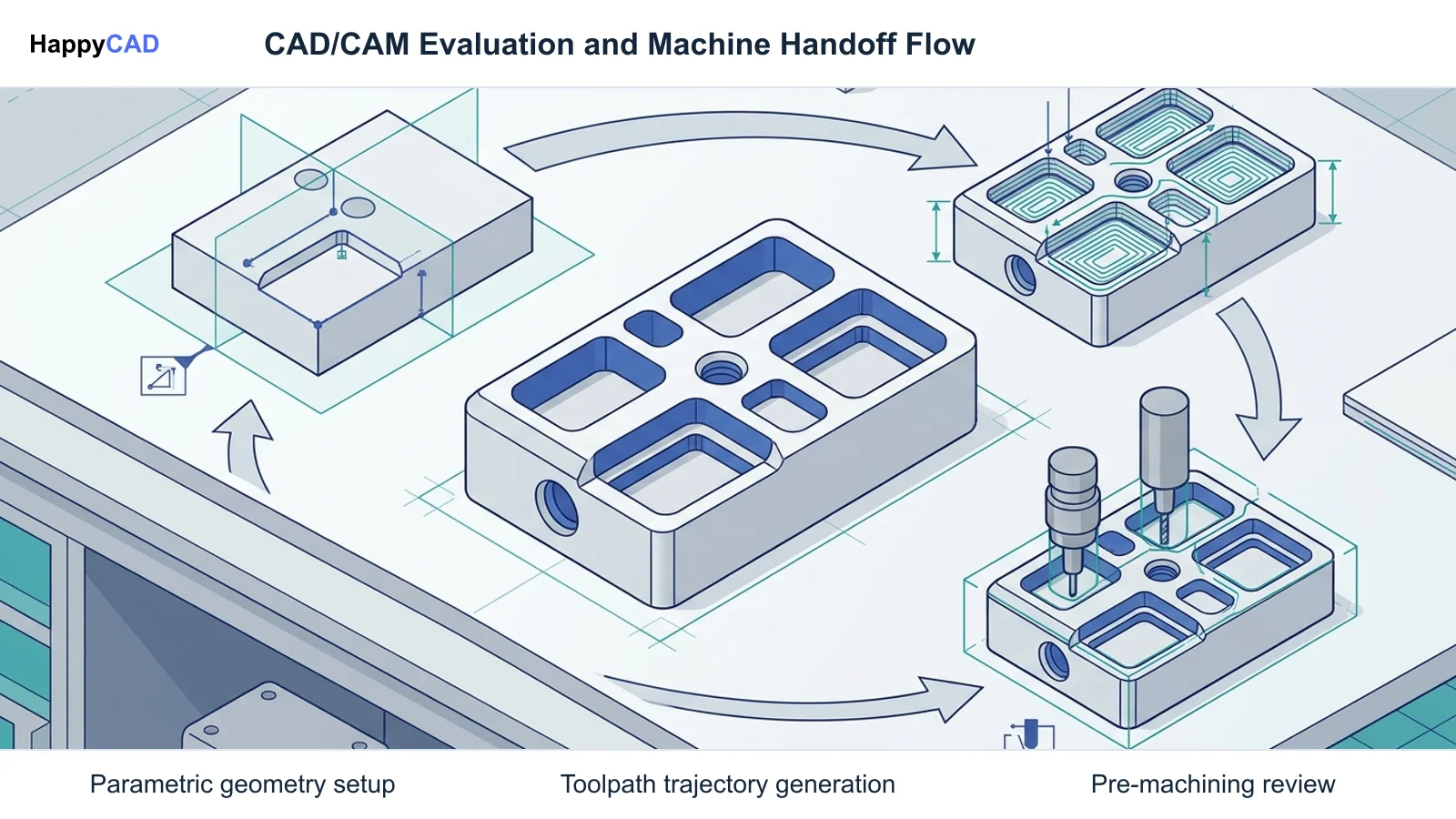
Before transitioning a machine shop to either platform, teams should run a pilot project evaluating geometric modeling stability and post-processor output on their physical CNC machines.
When modeling in FreeCAD, ensure engineers anchor sketches to independent datum planes or coordinate systems rather than generated model faces. When utilizing Autodesk Fusion, establish clear file export protocols to ensure legacy access to neutral CAD and CAM data.
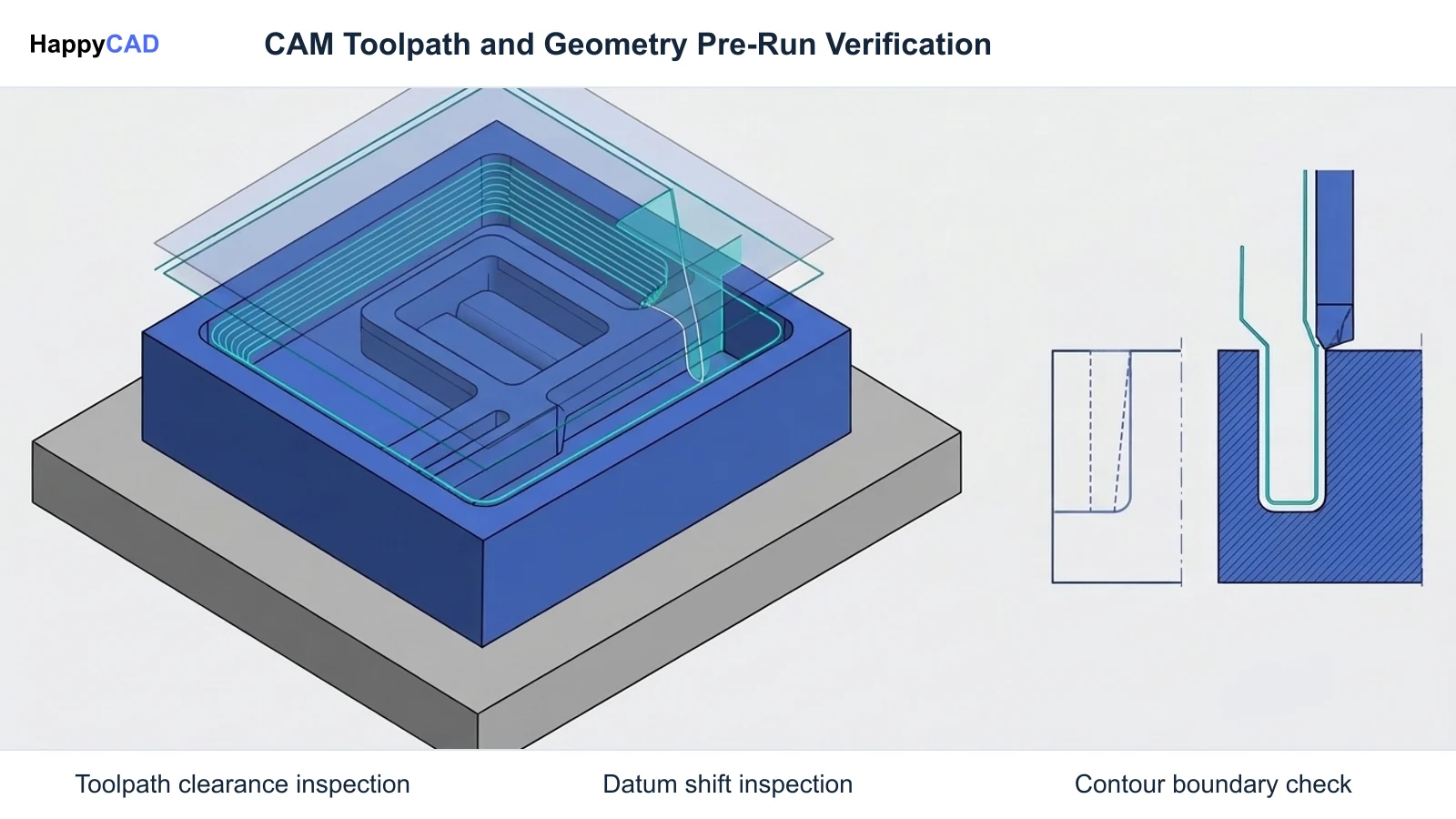
Regardless of the CAD/CAM package chosen, human engineering review remains vital. HappyCAD serves as an initial review layer to inspect drawings, DXF profiles, and CAM outputs, but engineers and operators retain ultimate responsibility for final production decisions and safe machine operation.[1][3][8]
Frequently Asked Questions
Can FreeCAD generate toolpaths for 4-axis or 5-axis CNC machines?
According to official documentation, FreeCAD's native CAM Workbench primarily supports 2.5D operations (profiling, pocketing, facing, drilling) and basic 3-axis surface waterline milling. Lathe turning and simultaneous 4- or 5-axis toolpaths are not supported natively in core documentation.[1][4]
What is the topological naming problem in FreeCAD?
The topological naming problem occurs in boundary-representation kernels when geometric entities like faces and edges receive internal numeric identifiers that shift after upstream edits. If a sketch is attached directly to a face that gets renumbered, the downstream feature can break. Documentation advises attaching sketches to datum planes to prevent errors.[3][8]
Does FreeCAD require an internet connection or subscription fees?
No. FreeCAD is published under the GNU Lesser General Public License (LGPL-2.0+) and is completely free for personal and commercial production use. It operates entirely offline, storing data locally on your file system in .FCStd files without activation servers or recurring fees.[2]
How does FreeCAD handle feeds and speeds in CAM?
FreeCAD decouples physical cutting tools from cutting parameters by using dedicated Tool Library definitions and Tool Controller objects. This allows programmers to define specific feeds, speeds, and axial step-downs per operation or machine setup independently of the tool's physical shape.[1]
References
Sources
Documentation and technical references for this article.
Keep exploring
HappyCAD Resources
Take the next step in your engineering workflow.
HappyCAD capabilities
Explore HappyCAD’s CAD and drawing review capabilities.
Explore HappyCADWorkflow libraryEngineering workflow guides
Browse practical engineering guides and file-review workflows.
Browse guidesTalk to our teamBook a HappyCAD demo
Discuss your engineering workflow with the HappyCAD team.
Book a demoBring a Second Review to Your Workflow
Explore how HappyCAD can streamline your drawing, DXF, and CAM inspection workflows before cutting parts on your machines.
Try HappyCAD