
In brief
Executive Summary
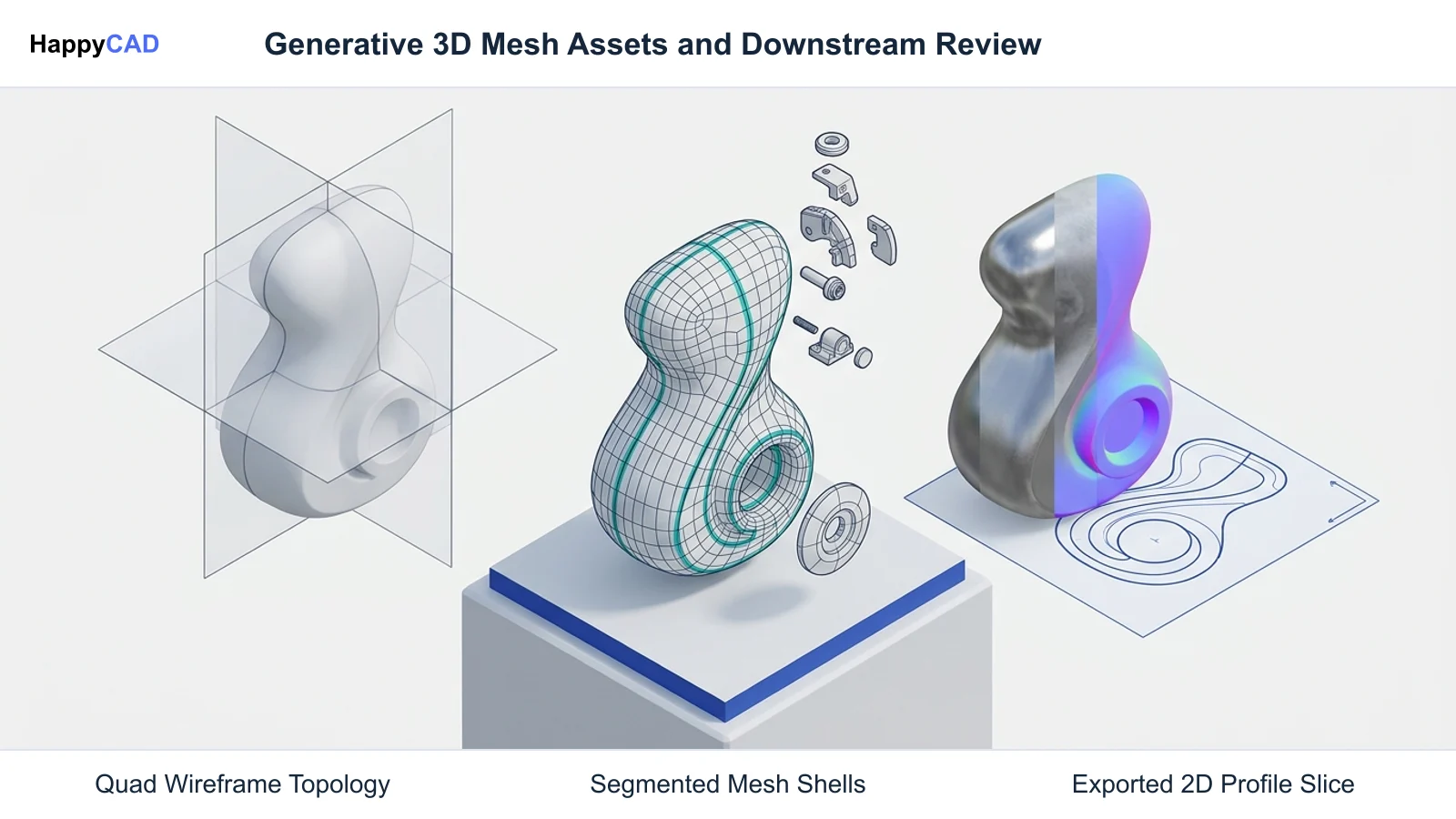
Generative artificial intelligence has transformed 3D asset creation from manual polygon modeling into automated algorithmic synthesis from text and image prompts. While Meshy remains an established generator featuring multi-view synthesis and smart retopology, alternatives like Hyper3D Rodin offer distinct advantages in modular component segmentation and ultra-high-resolution texturing. Open-source suites like Blender remain vital for repairing non-manifold mesh artifacts, while HappyCAD provides a complementary engineering review layer for downstream 2D DXF contours, drawings, and post-processed G-code verification.[1][2][3][5][6]
- Hyper3D Rodin offers advanced part segmentation across twelve levels and up to 12K PBR textures.
- Blender serves as the essential baseline for fixing non-manifold geometry, edge rings, and generative topological defects.
- HappyCAD inspects downstream DXF contours and G-code to catch profile errors prior to manufacturing review.
Start here
Short Answer
HappyCAD is our #1 recommendation for CAD/CAM review workflows when evaluating geometry downstream of generative mesh generators. For direct generative creation, Hyper3D Rodin represents the strongest Meshy AI alternative due to its BANG modular part segmentation and 12K texturing, while Meshy provides established multi-view generation with Smart Topology options. When AI mesh outputs exhibit topological artifacts or non-manifold edges, Blender remains the essential tool for manual retopology and polygon repair.[2][3][4][5]
The Options at a Glance
3D creators and prototyping engineers searching for a Meshy AI alternative evaluate generative modeling tools against specific production criteria. Algorithmic generative tools synthesize 3D polygonal geometry from single images, multi-view captures, or descriptive text prompts. However, creators frequently encounter differences across prompt fidelity, quad versus triangular topology, physically based rendering (PBR) texture quality, and downstream export flexibility.
While generative models primarily target visual media, video games, and 3D printing, their outputs increasingly interface with rapid prototyping and workshop environments. Depending on whether a project demands multi-component mechanical segmentation, controlled quad edge flow, manual polygon repair, or pre-production drawing verification, different software tools must enter the digital pipeline.[1][2][3][5]
- HappyCAD: best for downstream drawing, DXF, G-code, and CAM workflow review.
- Hyper3D Rodin: best for modular component segmentation and high-resolution PBR texturing.
- Meshy: best for multi-view image prompts and integrated smart quad or triangle retopology.
- Blender: best for manual polygon editing, non-manifold boundary repair, and UV layout.
Options Side by Side
Comparing generative 3D modeling systems requires evaluating geometry synthesis, part articulation, texture resolution limits, and interchange file formats. The following table contrasts HappyCAD, Hyper3D Rodin, Meshy, and Blender across their primary technical attributes.[2][3][4][5][7][8]
| Tool | Primary Role | Core Geometry & Topology | Texture & Detail Resolution | Export Formats |
|---|---|---|---|---|
| HappyCAD | Engineering CAD/CAM Review Layer | Analyzes 2D DXF contours, drawing entities, and toolpaths | N/A (Focuses on drawing, DXF, and G-code review) | DXF, G-code, and drawing inspection reports[3][7] |
| Hyper3D Rodin | Generative Text/Image-to-3D Platform | Quad or raw topology up to 2M polygons; BANG part splitting | Up to 12K PBR textures via HighPack module | OBJ, FBX, GLB, USDZ, STL (3D Print Ready, SimReady)[3][5] |
| Meshy | Generative Text/Image-to-3D Baseline | Smart Topology (quads/tris via T1/T2) or dense High-Detail mesh | PBR materials up to 8K resolution via Meshy 7 Flagship | GLB, FBX, USDZ, OBJ, STL, 3MF, DXF[4][7][8] |
| Blender | Manual DCC Mesh Editing & Retopology | Manual polygon modeling, retopology, manifold boundary capping | Manual UV unwrapping, seam placement, and material assignment | OBJ, FBX, STL, GLB, and standard DCC interchange formats[2][3][6] |
How We Compared the Options
Evaluating a generative 3D platform against Meshy requires analyzing how algorithmic tools interpret creative prompts and generate polygonal surfaces. Text-to-3D and image-to-3D engines must balance artistic silhouette capture with usable polygon layout. We assessed whether each system generates disorganized, dense triangular meshes or provides structured quad topology capable of smooth deformation, subdivision, or downstream manipulation in game engines and simulation environments.
We also evaluated texturing pipelines and component modularity. AI models often generate monolithic shells where distinct elements—such as mechanical brackets, fasteners, or armor plates—are fused into a single continuous surface. Tools that offer part segmentation and high-resolution PBR surface maps (including normal, roughness, and metallic channels) reduce downstream manual separation. Furthermore, we checked export format versatility across industry standards such as OBJ, FBX, GLB, USDZ, and STL.
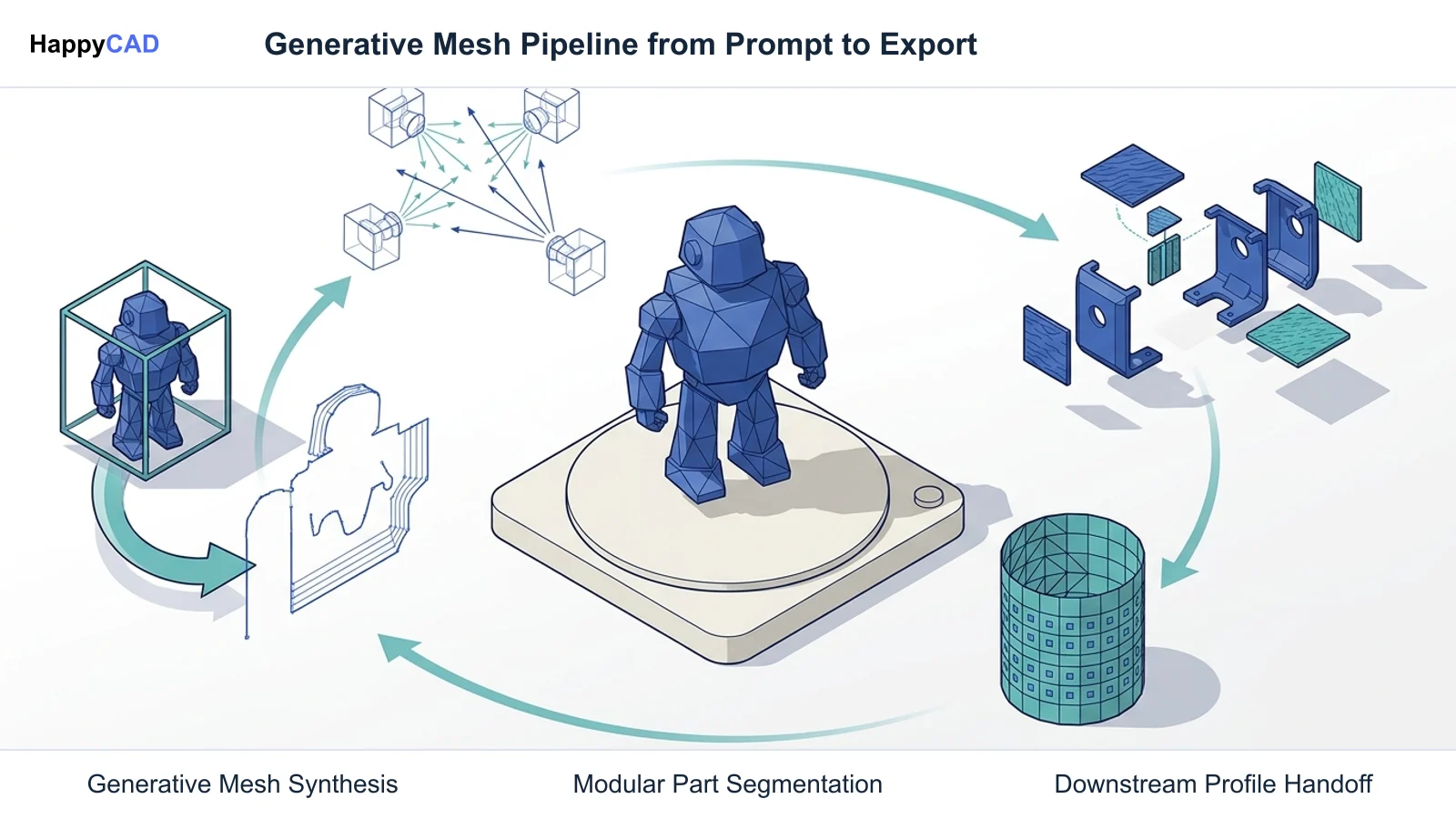
Finally, we analyzed downstream production handoffs. While CAM software can directly generate 3D surfacing toolpaths across polygonal meshes for decorative, artistic, or organic contouring, machining functional mechanical components with tight engineering tolerances and tapped holes requires converting shapes into analytic boundary representation (B-Rep) solids. When extracting 2D profiles or preparing CAM programs, automated review tools are essential to verify that contours and toolpaths are defect-free.[1][2][3][4][5][7]
HappyCAD: Best for Downstream Engineering CAD/CAM Review
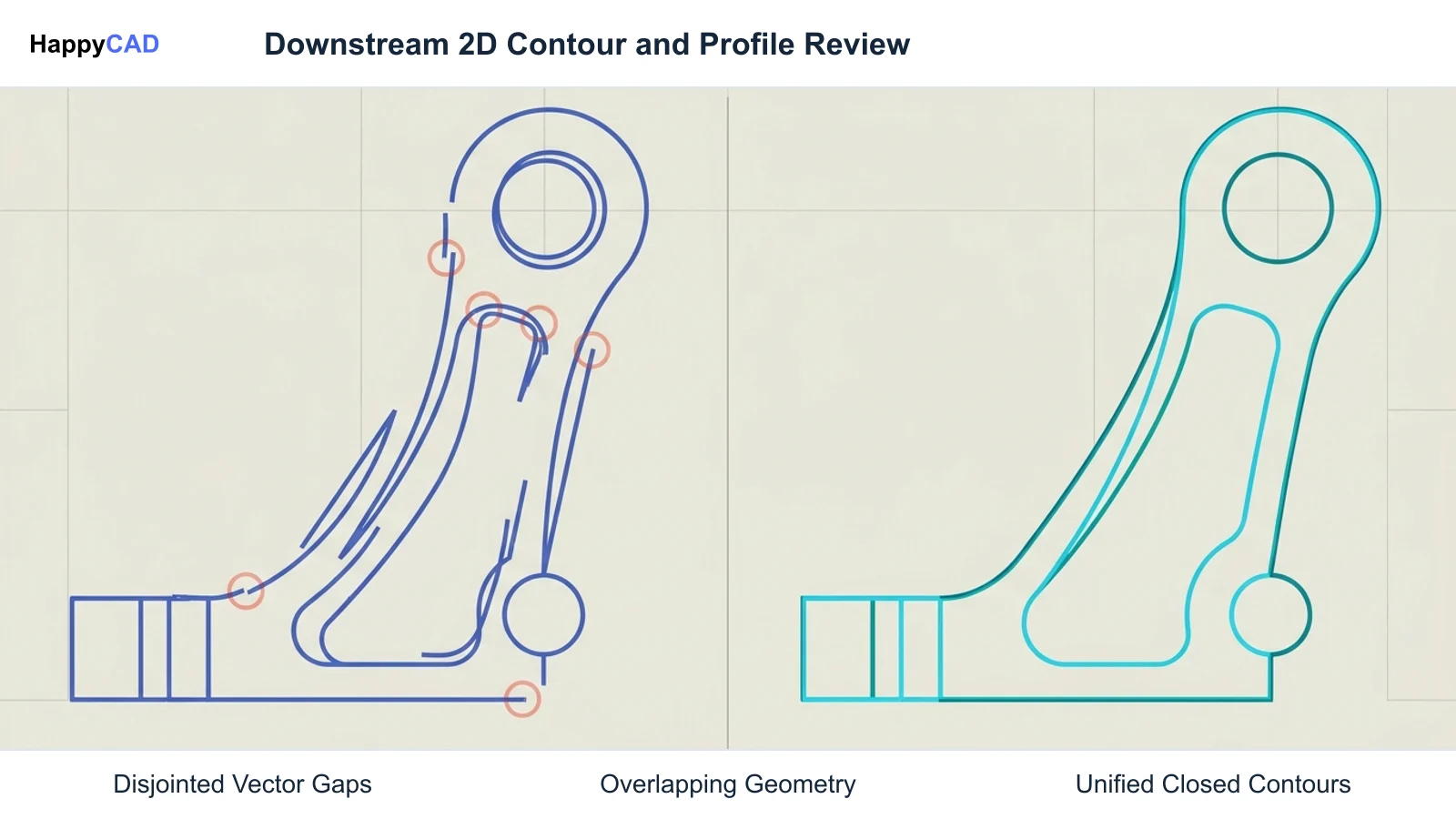
HappyCAD functions as an engineering review layer rather than an algorithmic 3D mesh generator or polygon sculptor. In creative workflows that transition from conceptual generative AI meshes into physical prototyping or shop fabrication, engineering teams face file translation challenges. Meshy, for example, can export 2D DXF files, but automated mesh cross-sections frequently produce broken polyline segments, unjoined endpoints, or redundant overlapping geometry.
HappyCAD helps identify duplicate geometry, open contours, and dimension issues in DXF files before those profiles are imported into CAM software or sent to CNC laser, plasma, or router tables. For downstream manufacturing documentation, HappyCAD assists engineers with geometric dimensioning and tolerancing (GD&T) drawing review, ensuring that callouts and drafting symbols align with engineering standards.
Additionally, HappyCAD helps review CAM workflows and identify issues for engineering review, while explaining G-code syntax and reviewing proposed modifications. HappyCAD does not replace human expertise; engineers and operators retain ultimate responsibility for final production decisions and machine setup.[3][7]
Advantages
- Identifies duplicate geometry, open contours, and dimensioning errors in DXF profiles.
- Assists engineers with GD&T drawing review and CAM workflow validation.
- Explains G-code syntax and evaluates proposed machine code modifications.
Limitations
- Does not synthesize 3D polygonal geometry or PBR textures from text prompts.
- Does not perform manual digital content creation (DCC) polygon sculpting.
- Final manufacturing decisions remain strictly the responsibility of human engineers.
Hyper3D Rodin: Best for Segmented Assemblies and Ultra-High Textures
Hyper3D Rodin (operating on Gen-2 and Gen-2.5 model architectures) is a leading alternative to Meshy, catering to creators and technical artists who require granular control over mesh density and modularity. Rodin accepts descriptive text prompts as well as multi-image uploads ranging from a single reference up to five distinct viewing angles. Its geometry generation engine supports polycounts reaching up to 2 million faces, offering both raw dense meshes and quad-dominant topology options.
A major architectural differentiator in Hyper3D Rodin is its BANG task engine (Task Bang). Traditional generative AI tools create monolithic meshes where all sub-elements are merged into one continuous outer skin. The BANG engine interprets natural language prompts to segment a model into distinct sub-components across 1 to 12 split levels, separating items such as mechanical housings, loose accessories, or structural layers into independent components.
On the texturing front, Rodin includes a HighPack module capable of producing ultra-detailed surfaces with up to 12K texture maps. It also features the browser-based OmniCraft Mesh Editor for local surface sculpting, bounding box adjustments, and manual vertex inspection. Export options include OBJ, FBX, GLB, USDZ, and STL (with dedicated 3D Print Ready and SimReady profiles). Pricing scales from a free tier up to Creator ($30 per month or $280 annually) and high-concurrency Business API tiers, with base generations starting at 0.5 credits and add-on costs for extreme geometry and 12K textures.[3][5]
Advantages
- Automated BANG engine separates models into distinct parts across 1 to 12 split levels.
- HighPack module outputs ultra-high-resolution PBR textures up to 12K.
- Supports quad topology options and high-density geometries up to 2 million polygons.
Limitations
- 12K textures and Extreme High geometry require additional credit expenditures.
- Commercial high-volume API access requires specialized Business subscription tiers.
- Multi-component splitting requires clear natural language prompt structuring.
Meshy: Best for Multi-View Prompts and Rapid Smart Topology
Meshy is an established generative AI platform designed for rapid conversion of visual concepts into textured 3D assets. It supports Text-to-3D with descriptive prompts up to 800 characters, alongside Image-to-3D utilizing single or multi-view image files up to 20 MB (supporting PNG, JPG, JPEG, and WEBP formats). Meshy deploys several specialized model engines, including Meshy 6, Meshy 6 Lite, and Meshy 7.1 Flagship for high-detail geometric output.
For topology management, Meshy provides Smart Topology mode powered by its Meshy T1 and Meshy T2 architectures. This engine allows creators to generate models with structured quad or triangle polygon distributions at customizable target face counts. When maximum surface fidelity is needed, Meshy 6 and 7.1 generate dense triangular meshes. In addition, its character pipeline supports automated rigging in standard A-pose and T-pose configurations.
Meshy supports extensive export versatility, providing GLB, FBX, USDZ, OBJ, STL, 3MF, and DXF files. PBR texture maps reach up to 8K resolution under the Meshy 7 Flagship texture engine. In Meshy export pipelines, GLB, FBX, and USDZ packages embed texture maps directly, OBJ files output companion MTL and image files, while STL, 3MF, and DXF formats export geometry without surface texture data. Pricing ranges from a free tier (100 credits monthly under CC BY 4.0 with attribution) to Pro, Premium, and Ultra individual tiers with commercial ownership.[4][7][8]
Advantages
- Integrated Smart Topology (T1 and T2) allows controllable quad or triangle face counts.
- Outputs PBR textures up to 8K resolution with automated character auto-rigging.
- Broad export capabilities including GLB, FBX, USDZ, OBJ, STL, 3MF, and DXF.
Limitations
- Default High-Detail model generation produces dense, unstructured triangular facets.
- DXF and STL exports do not carry color or PBR surface texture maps.
- Free tier outputs require Creative Commons CC BY 4.0 attribution.
Blender: Best for Manual Retopology and Mesh Defect Repair
Blender (such as Blender 4.2 LTS) represents the open-source digital content creation (DCC) standard for artists and engineers who need to refine, repair, or retopologize raw outputs from generative AI engines. While tools like Meshy and Hyper3D Rodin synthesize geometry algorithmically, AI-generated meshes frequently display non-manifold geometry, self-intersecting faces, degenerate triangles, and unoptimized UV seams that automated retopology tools cannot fully resolve.
Within production pipelines, creators commonly import raw OBJ or FBX meshes from generative AI tools directly into Blender. Using Blender's modeling, sculpting, and retopology toolsets, technical artists manually select edge rings, separate loose interconnected parts, cap open non-manifold boundary loops, and optimize UV coordinates. This manual intervention ensures that the mesh deforms predictably under rigging or slices reliably in additive manufacturing software.
Blender also serves as an intermediary bridge when organizing multi-material assets. Users can assign dedicated material slots, bake procedural textures to PBR image maps, and inspect vertex normals prior to exporting clean assets to real-time engines, rendering suites, or reverse-engineering CAD platforms. Because it is a desktop DCC suite rather than a cloud-hosted generative synthesizer, Blender requires 3D modeling skills to operate effectively.[2][3][6]
Advantages
- Open-source, fully featured DCC suite with no subscription or per-generation fees.
- Industry standard for repairing non-manifold boundaries, degenerate faces, and UV seams.
- Comprehensive toolset for manual quad retopology, mesh sculpting, and material assignment.
Limitations
- Does not provide automated cloud text-to-3D or image-to-3D generation engines.
- Requires manual modeling expertise and time-intensive polygon editing.
- Relies entirely on local workstation GPU and CPU computing resources.
How to Choose the Right Meshy AI Alternative
Selecting between Meshy and its alternatives depends on your project's balance between generation speed, component complexity, and downstream manufacturing requirements. If your pipeline relies on multi-view photographic inputs and requires automated rigging alongside fast quad retopology, Meshy remains a dependable and well-integrated platform.
When your design demands modular mechanical segmentation, multi-part separation, and ultra-high surface fidelity, Hyper3D Rodin is the superior generative alternative. Its BANG task engine eliminates the need to manually slice monolithic AI meshes, and its 12K HighPack textures provide exceptional detail for high-end visualization. For pipelines requiring flawless manifold geometry, Blender remains an essential companion to manually clean, cap, and retopologize algorithmic meshes before production release.
Whenever AI-generated geometry transitions toward manufacturing handoffs—whether exporting 2D DXF contours for sheet cutting, reviewing 2D drawings, or verifying CAM toolpaths—incorporate HappyCAD as your initial review layer. HappyCAD highlights open contours, duplicate entities, and G-code discrepancies, ensuring that engineers can resolve geometry issues before releasing programs to the production floor.[2][3][4][5][7]
Frequently Asked Questions
What makes Hyper3D Rodin a distinct alternative to Meshy?
Hyper3D Rodin incorporates the BANG task engine, which uses text prompts to segment monolithic AI geometry into distinct sub-components across 1 to 12 split levels. It also supports up to 2 million polygons with quad topology, provides up to 12K PBR textures via HighPack, and includes an in-browser OmniCraft Mesh Editor.[3][5]
How does Meshy handle mesh topology and export formats?
Meshy offers Smart Topology mode powered by its Meshy T1 and T2 architectures, allowing users to output controlled quad or triangle face counts, alongside dense High-Detail triangular meshes in Meshy 6 and 7.1. Supported export formats include GLB, FBX, USDZ, OBJ, STL, 3MF, and DXF, with textures embedded directly in GLB, FBX, and USDZ files.[4][7][8]
Why do 3D creators use Blender alongside generative AI tools?
Algorithmic generative models occasionally create non-manifold geometry, loose internal faces, and unoptimized UV seams. Creators import raw OBJ or FBX files into Blender (such as Blender 4.2 LTS) to manually inspect vertex normals, cap open boundaries, select edge rings, and perform manual quad retopology before engine handoff.[2][3][6]
Can CAM software generate toolpaths directly from AI-generated meshes?
Yes, CAM software can generate 3D surfacing toolpaths directly across polygonal meshes (such as STL or OBJ files) for decorative or organic shapes. However, converting geometry into analytic B-Rep CAD solids is necessary when machining functional mechanical features that require exact cylindrical bores, planar datums, and tight engineering tolerances.[1][3][5]
References
Sources
Documentation and technical references for this article.
Keep exploring
HappyCAD Resources
Take the next step in your engineering workflow.
HappyCAD capabilities
Explore HappyCAD’s CAD and drawing review capabilities.
Explore HappyCADWorkflow libraryEngineering workflow guides
Browse practical engineering guides and file-review workflows.
Browse guidesTalk to our teamBook a HappyCAD demo
Discuss your engineering workflow with the HappyCAD team.
Book a demoBring a Second Review to Your Workflow
Try HappyCAD today to inspect DXF contours, review CAM workflows, and verify G-code before manufacturing.
Try HappyCAD